Product tour
See Outturn working
Real screenshots of the running application. A quarter of LTG rail billing is recomputed by rules, and every number opens down to the rows it came from.
Synthetic demo data — illustrative scenario
Every screen on this page is a capture of Outturn running on synthetic data. The companies (Baltic Demo Terminal, Demo Terminal UAB) and all wagons are fictional. No customer, result or certification is shown or implied.
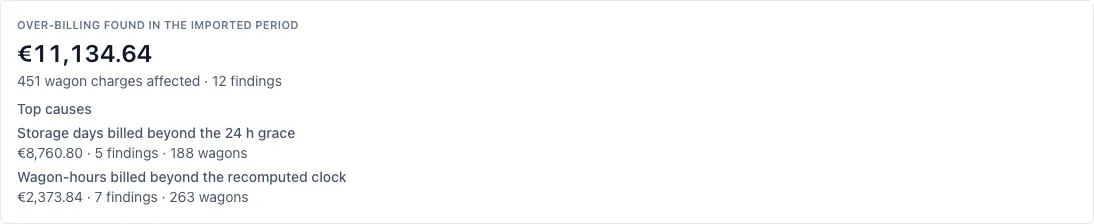
Over-billing found in the imported period
€11,134.64
- Wagon charges affected
- 451
- Findings
- 12
- Wagons in the quarter
- 923
Top causes
- Storage days billed beyond the 24 h grace€8,760.80 · 5 findings · 188 wagons
- Wagon-hours billed beyond the recomputed clock€2,373.84 · 7 findings · 263 wagons
Computed by the rules from two uploaded files (wagon movements and the carrier statement). Nothing typed in, nothing set by AI.
Synthetic demo data — illustrative scenario
About the scenario. A script generated 923 wagons and 1169 carrier statement lines for July to September 2026 (about 300 wagons a month). Most lines are correct; a minority carry extra hours or an extra storage day. Volumes and the share of wrong lines are estimates (EST) written down in the repository; the euro figures are computed by the rules, not stored.
01
A whole quarter of carrier billing, checked in minutes
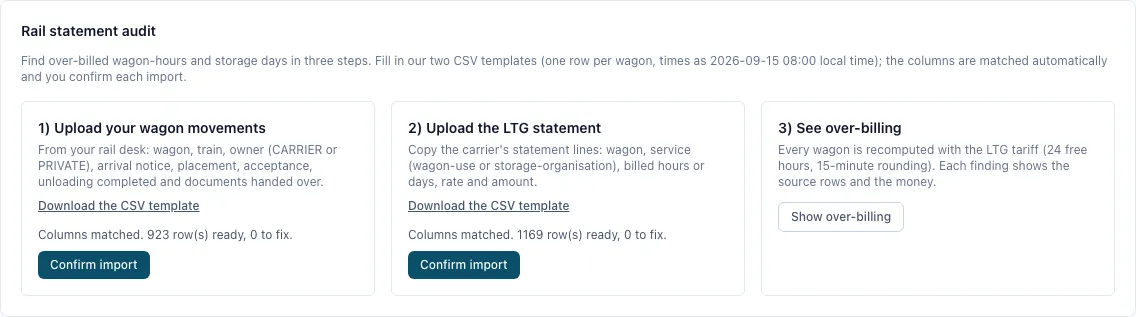
Upload your wagon records and the carrier statement: Outturn recomputes every line and shows what was billed beyond the tariff.
What you see
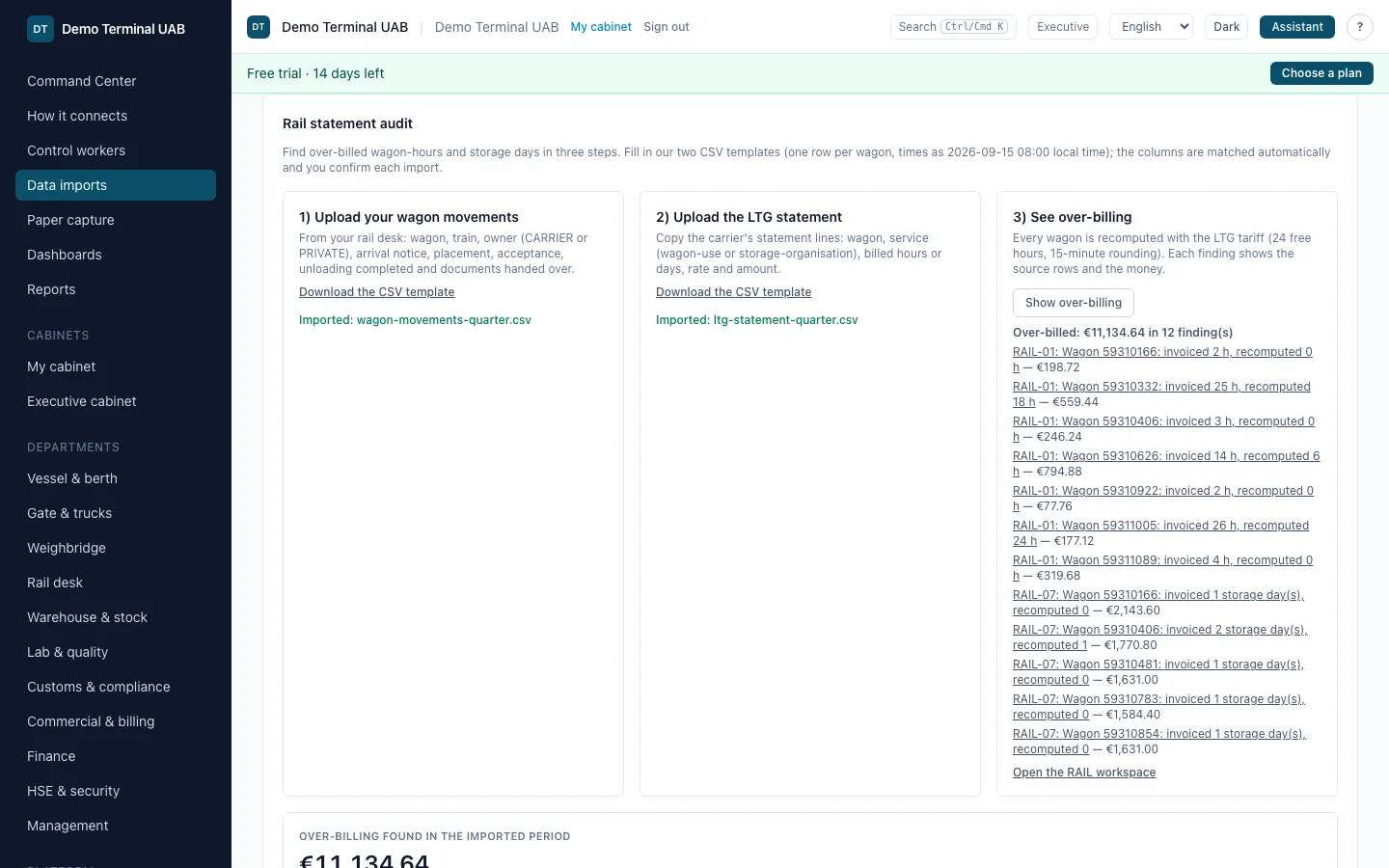
- The upload recognises the file format and matches the columns by itself; a person confirms the import with one click.
- A summary first: total over-billing for the period, how many wagon charges are affected and the top causes.
- Below it, every finding with its amount, ready to open.
How it works
Two checks recompute the carrier's lines from your own records: RAIL-01 wagon-hours (24 free hours, a part-hour of 15 minutes or more rounds up, EUR 2.16 per carrier wagon-hour) and RAIL-07 storage-organisation days (24-hour grace, 12 hours or more rounds up to a day, EUR 46.60 per wagon-day). The tariff values come from the LTG Cargo 2026 price list cited on each finding.
The total is the sum of the rule results. Nothing is typed in and no AI sets a figure. A finding is a review item for a person, not an accusation.
Scenario: 923 wagons over July to September 2026 and 1169 statement lines, generated by a script for this demo (volumes and the share of wrong lines are estimates, documented in the repository). Only the over-billed lines are counted here.
02
Every number opens to its source rows
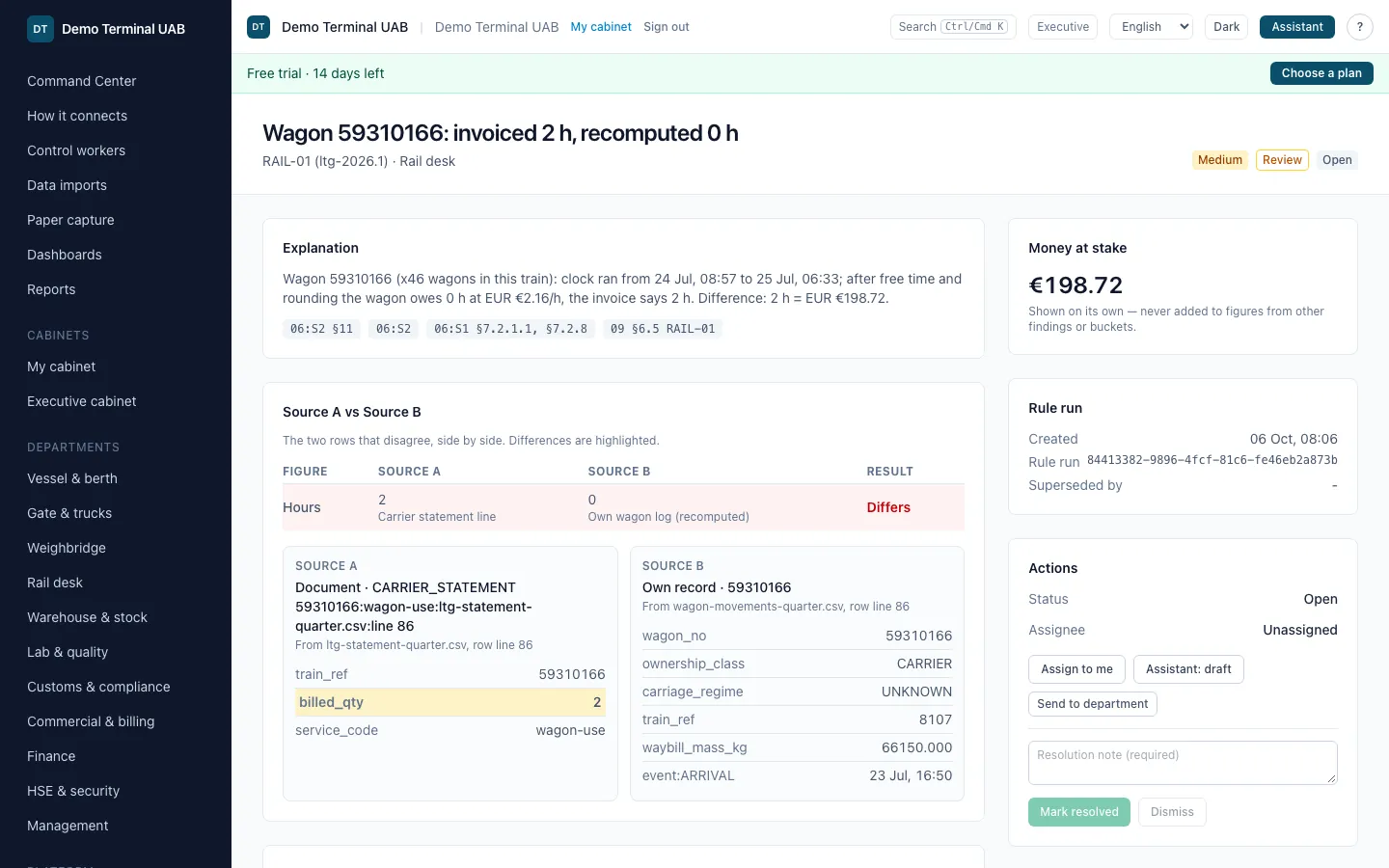
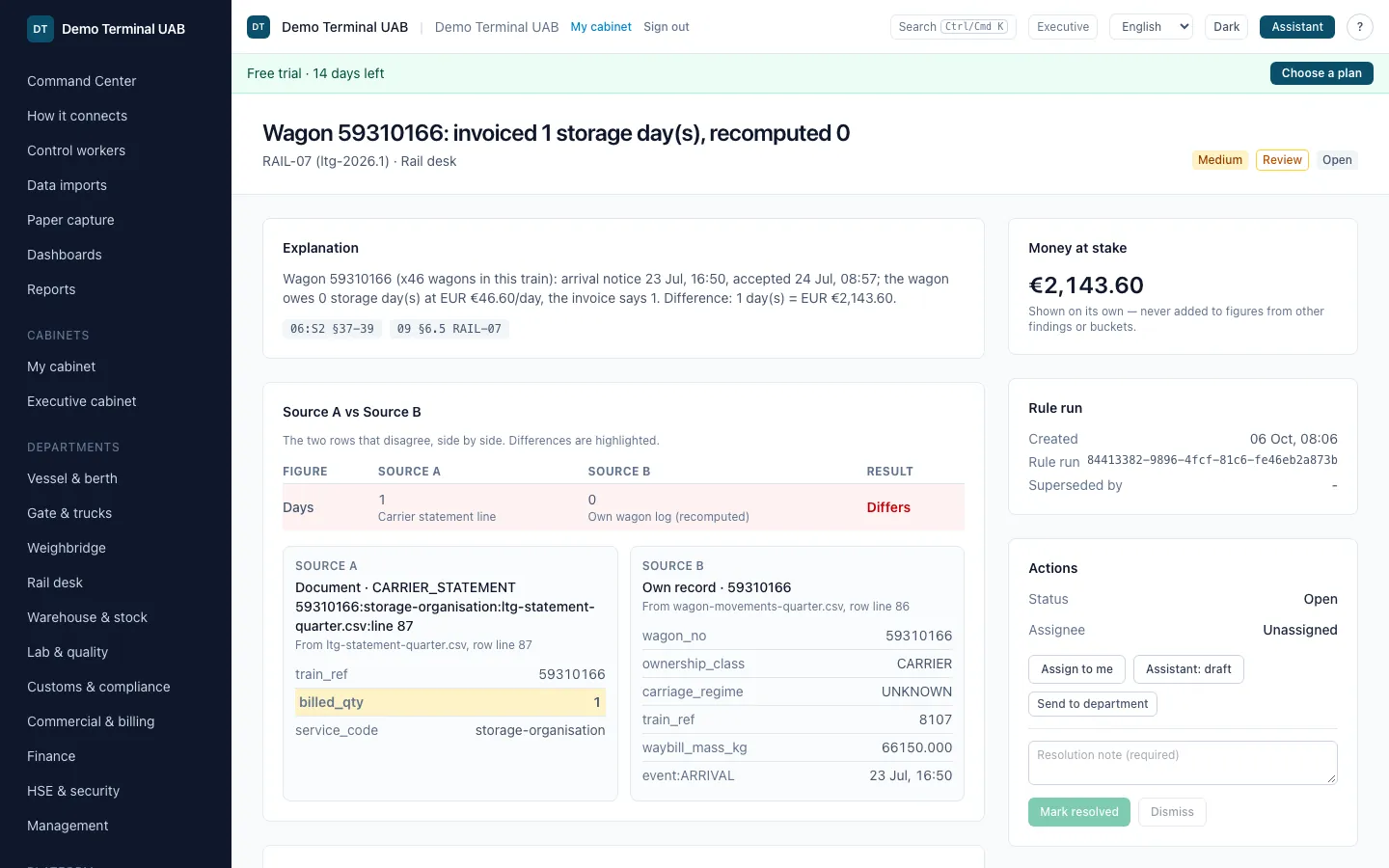
Open any finding and see the rule, the arithmetic and the two records that disagree.
What you see
- The explanation in one sentence, with the tariff citations.
- Money at stake, shown on its own: it is never added to figures from other findings.
- Source A (the carrier's statement line, with its file and row) next to Source B (your own wagon record: train, arrival, placement, completion). The figure that differs is highlighted.
How it works
Each finding stores the rule and its version, the inputs the rule used, the tolerances with their sources, and the provenance of every ledger fact: source system, file, row, time.
A wrong storage-day line and a wrong wagon-hours line are separate findings, so each can be disputed on its own evidence.
03
From a finding to a verified result
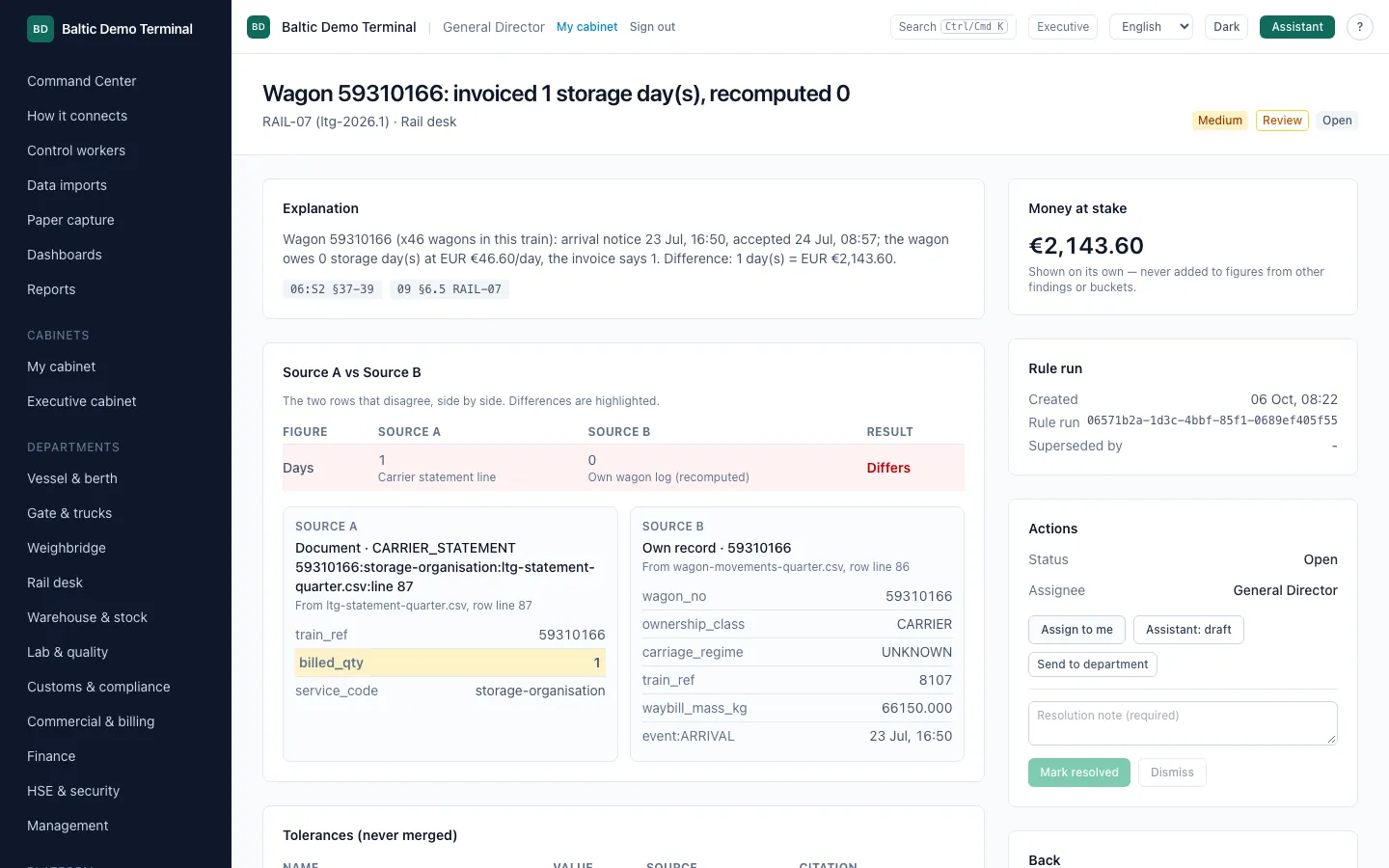
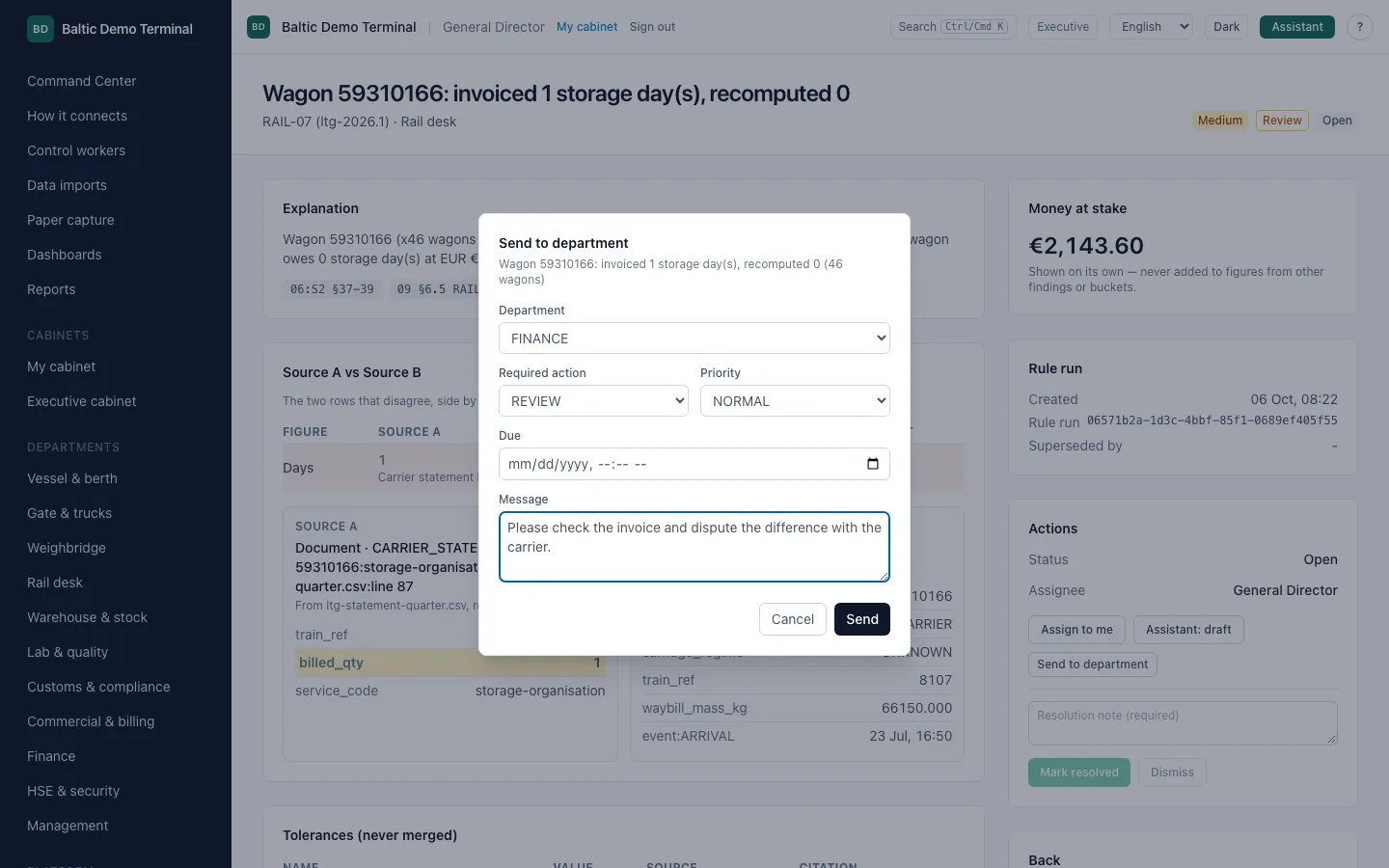
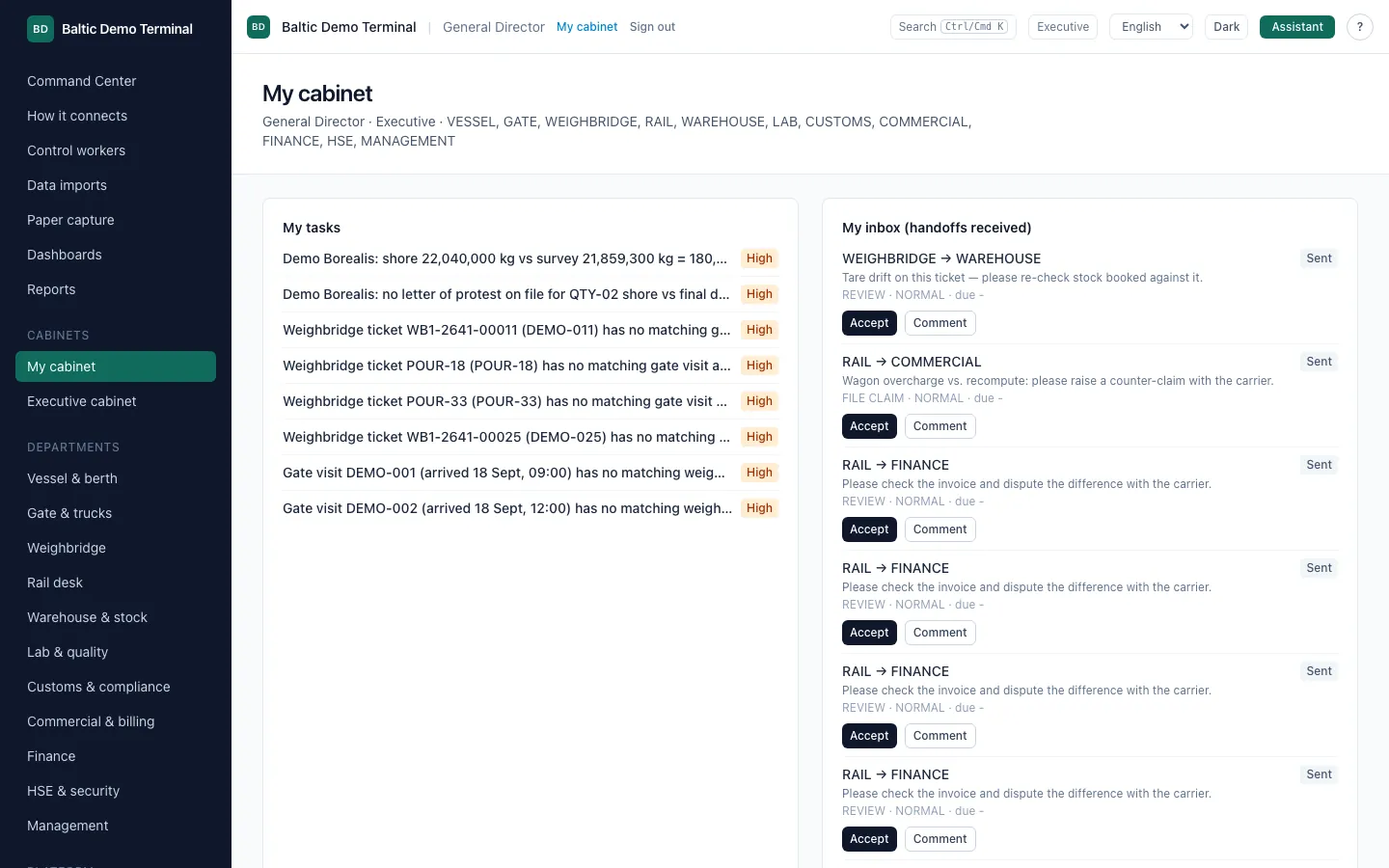
A discrepancy gets an owner, is handed to the right department, and counts as a result only after a later check and a person confirm it.
What you see
- Assign the case to yourself, or send it to another department with the required action, priority, due time and a message.
- The receiving department sees it in its inbox and accepts, works and closes it.
- A closed case is offered for verification only when a later rule run no longer reproduces it; a person then confirms the outcome and the evidence.
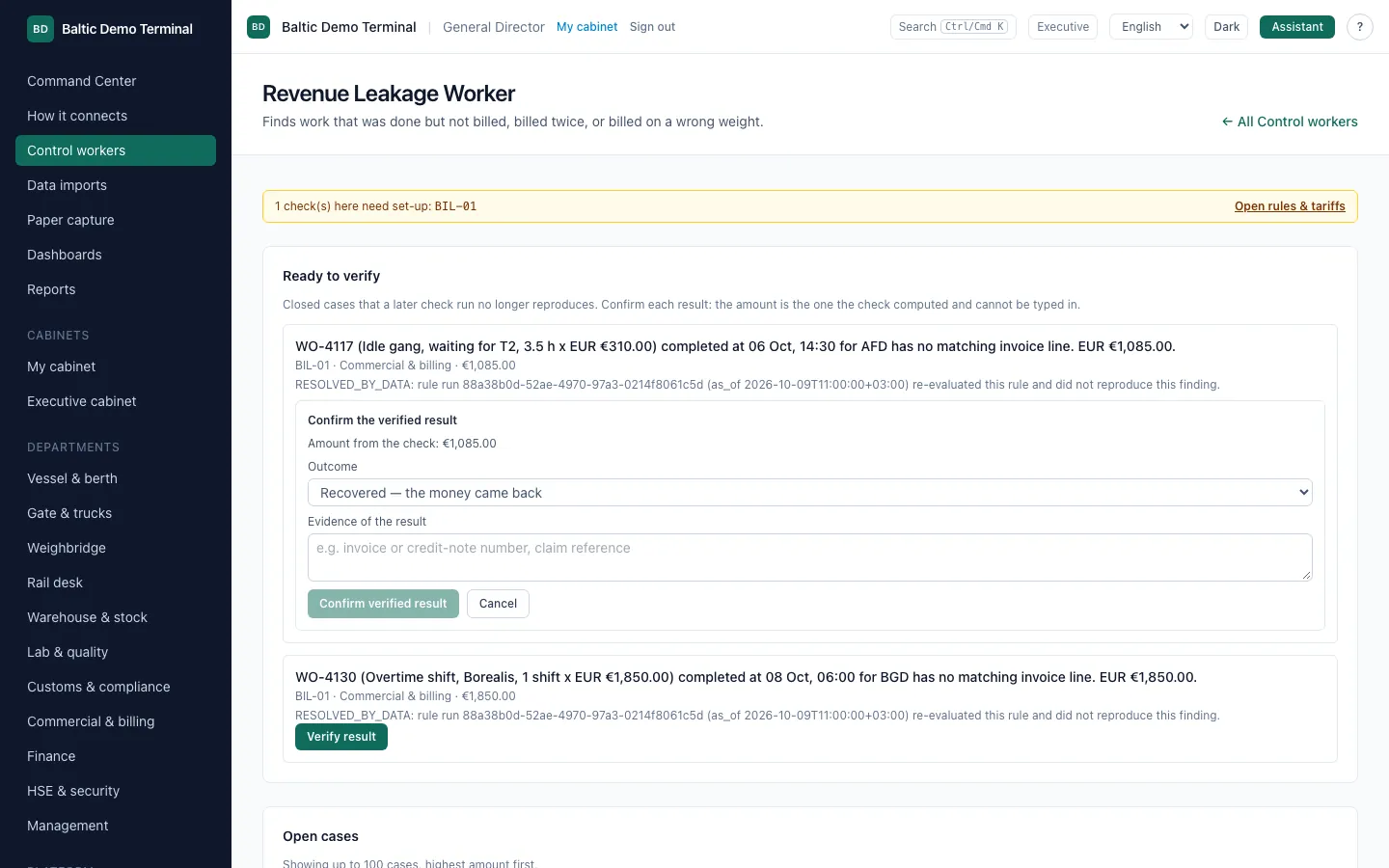
How it works
The five steps on the command center (connected sources, detected, proved, action, verified) are counted from the ledger when the page loads. Nothing counts as verified until both the later check and a person agree.
Actions that change data or leave the platform need a human approval. The assistant can draft; a person approves.
04
An evidence pack you can send
Select the findings and the statement lines in dispute, and download one pack for the carrier.
What you see
- Findings and source documents ticked on one screen, a pack name and a purpose.
- The pack is a ZIP with a PDF index (every finding with its explanation and citations), a provenance manifest and deadline notes.
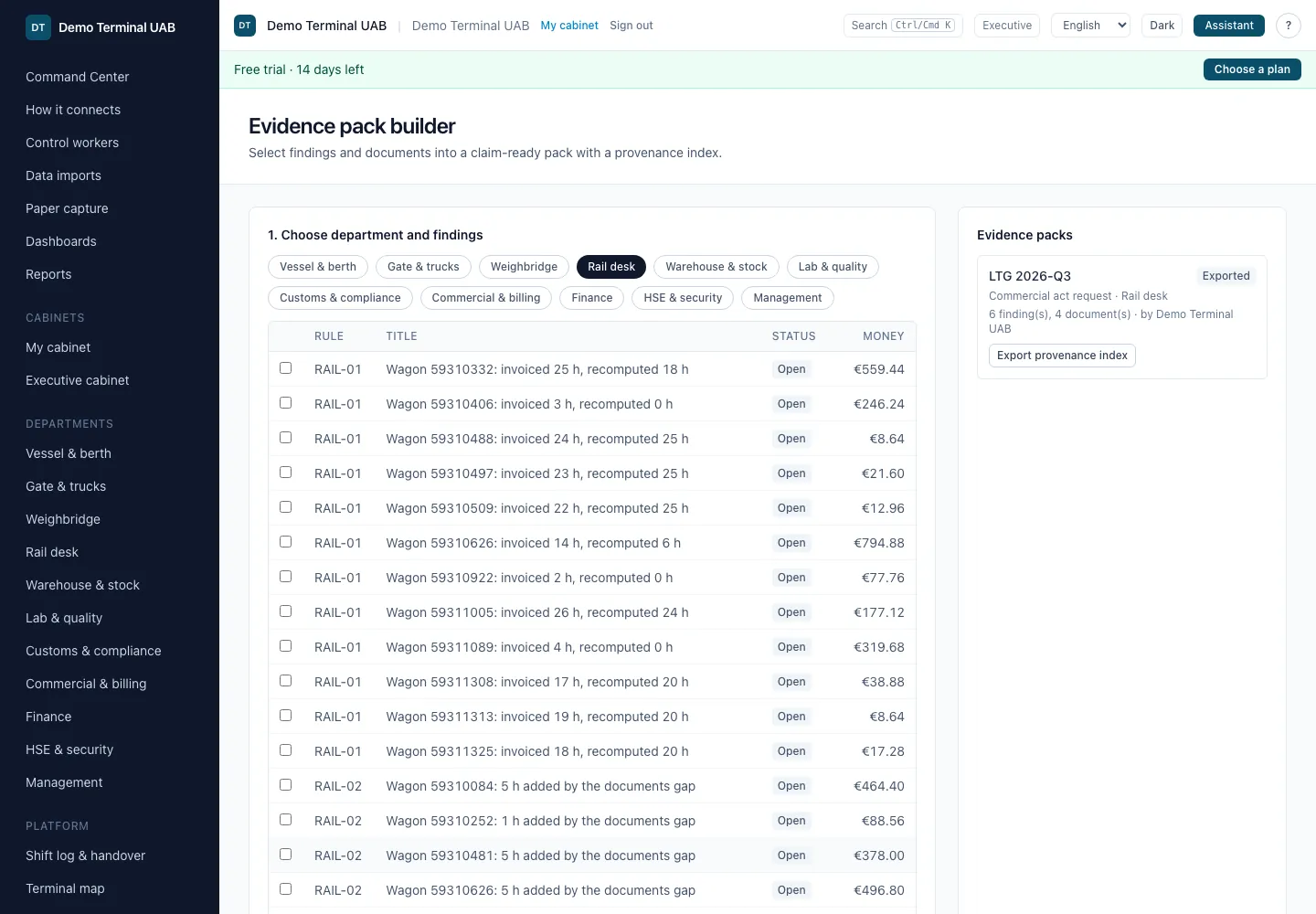
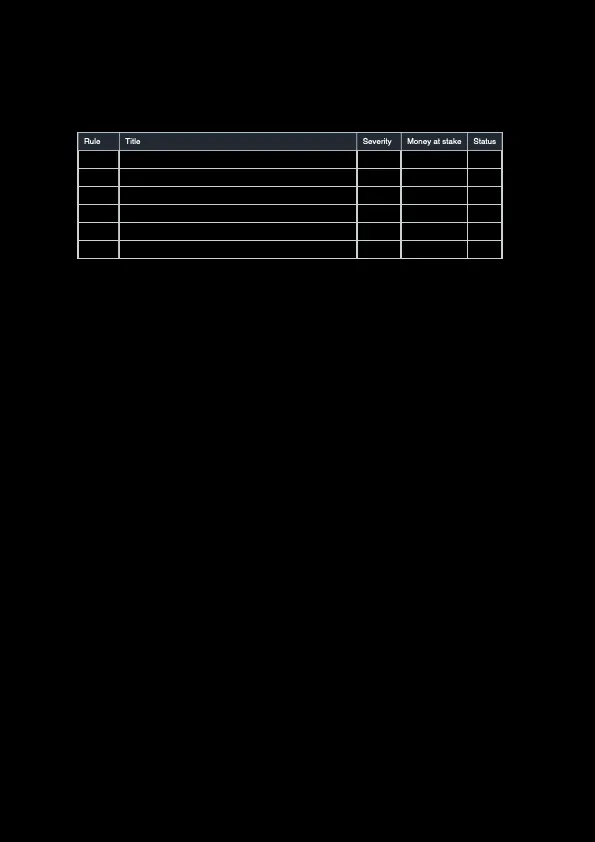
How it works
The pack is built from the ledger only: nothing is written into your systems and nothing is sent. Who built a pack, and from what, is written to the audit log.
Deadline notes combine the computed deadlines of the selected entities with the statutory claim windows (SMGS Art. 29, CIM Art. 47). A "not computable" deadline is shown as such.
Reports can also be exported as XLSX and PDF.
05
One command center, and dashboards you build yourself
The whole terminal on one screen; every figure opens down to its rows.
What you see
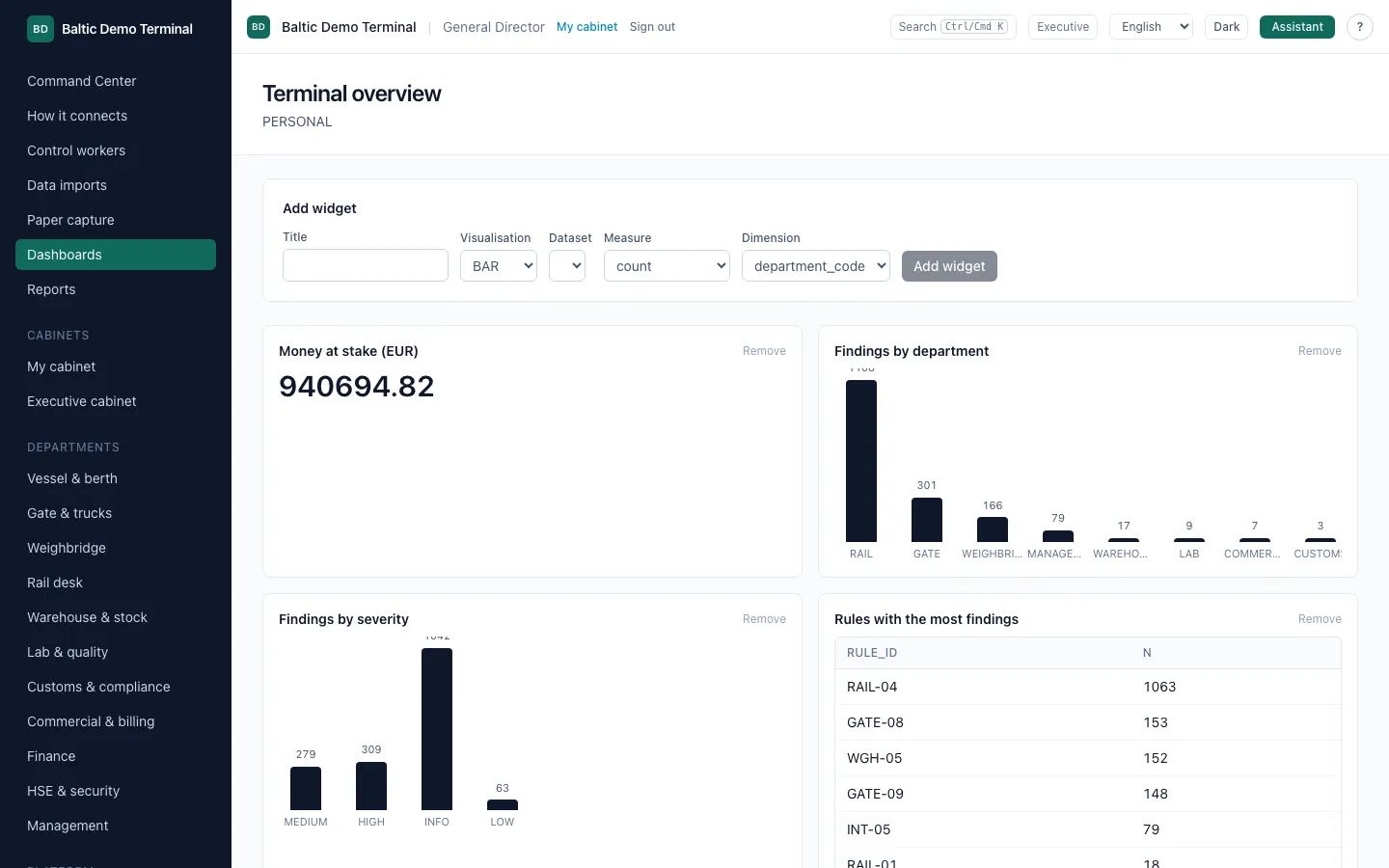
- The control loop in five numbers, and a tile per department with its open findings by severity and the money at stake.
- Dashboards built from a safe query specification: pick a dataset, a measure and a dimension; no raw SQL; every widget stays inside tenant and department permissions.
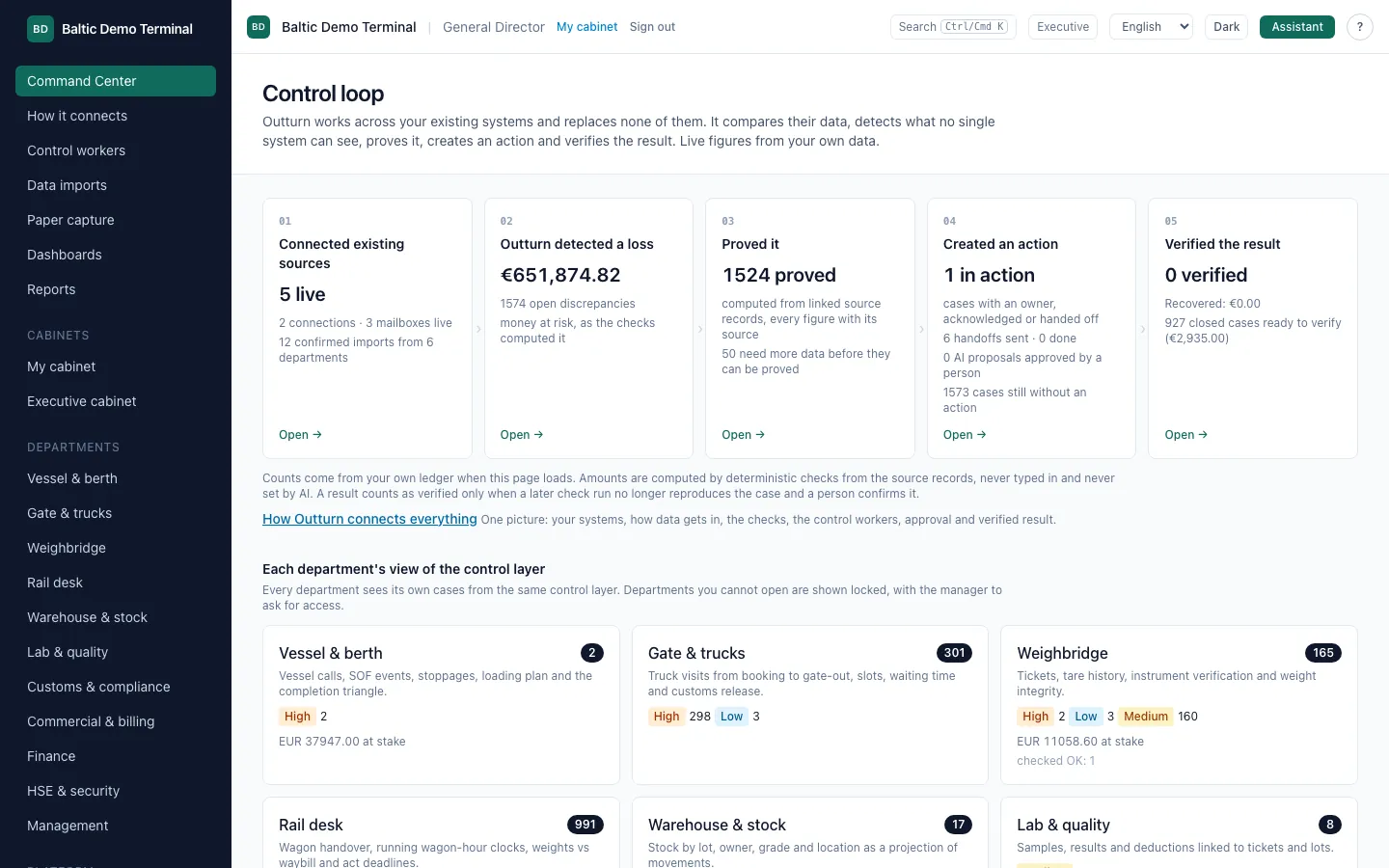
How it works
Amounts are computed by deterministic checks from the source records, never typed in and never set by AI.
A dashboard widget is a saved, validated query (KPI, bar, line, table or list) over findings, deadlines, imports, charges, visits, measurements, events or stock.
06
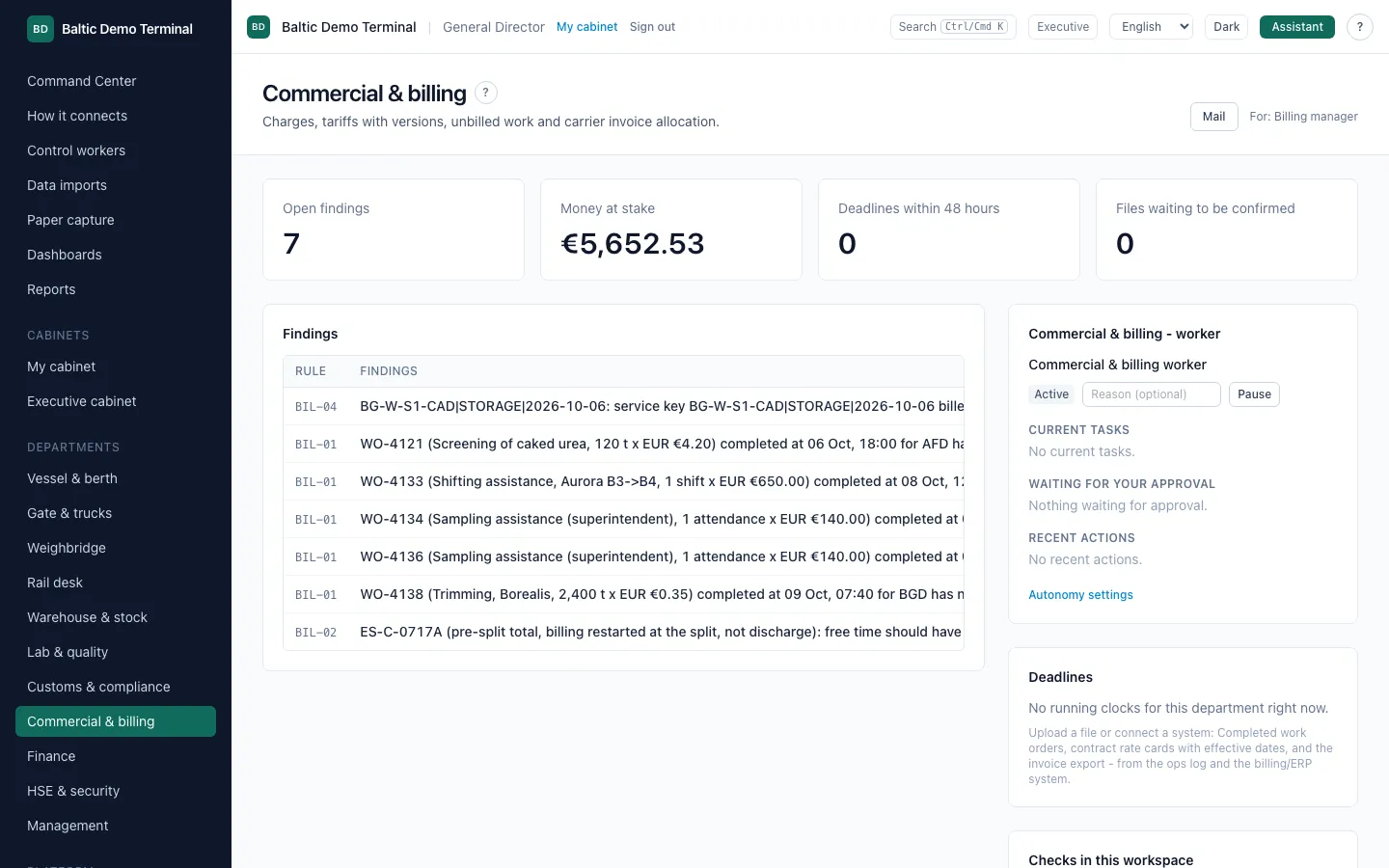
A workspace for every department
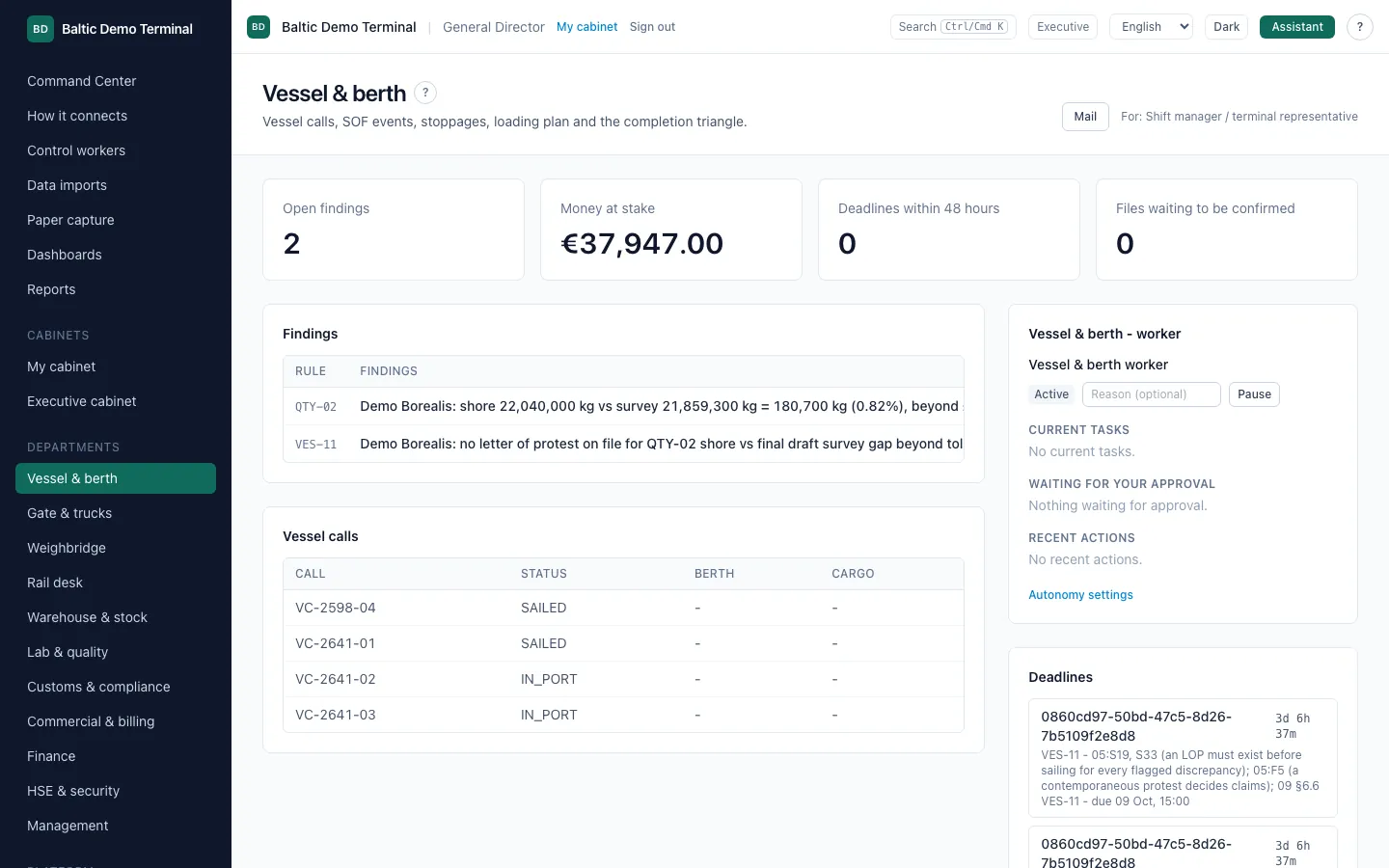
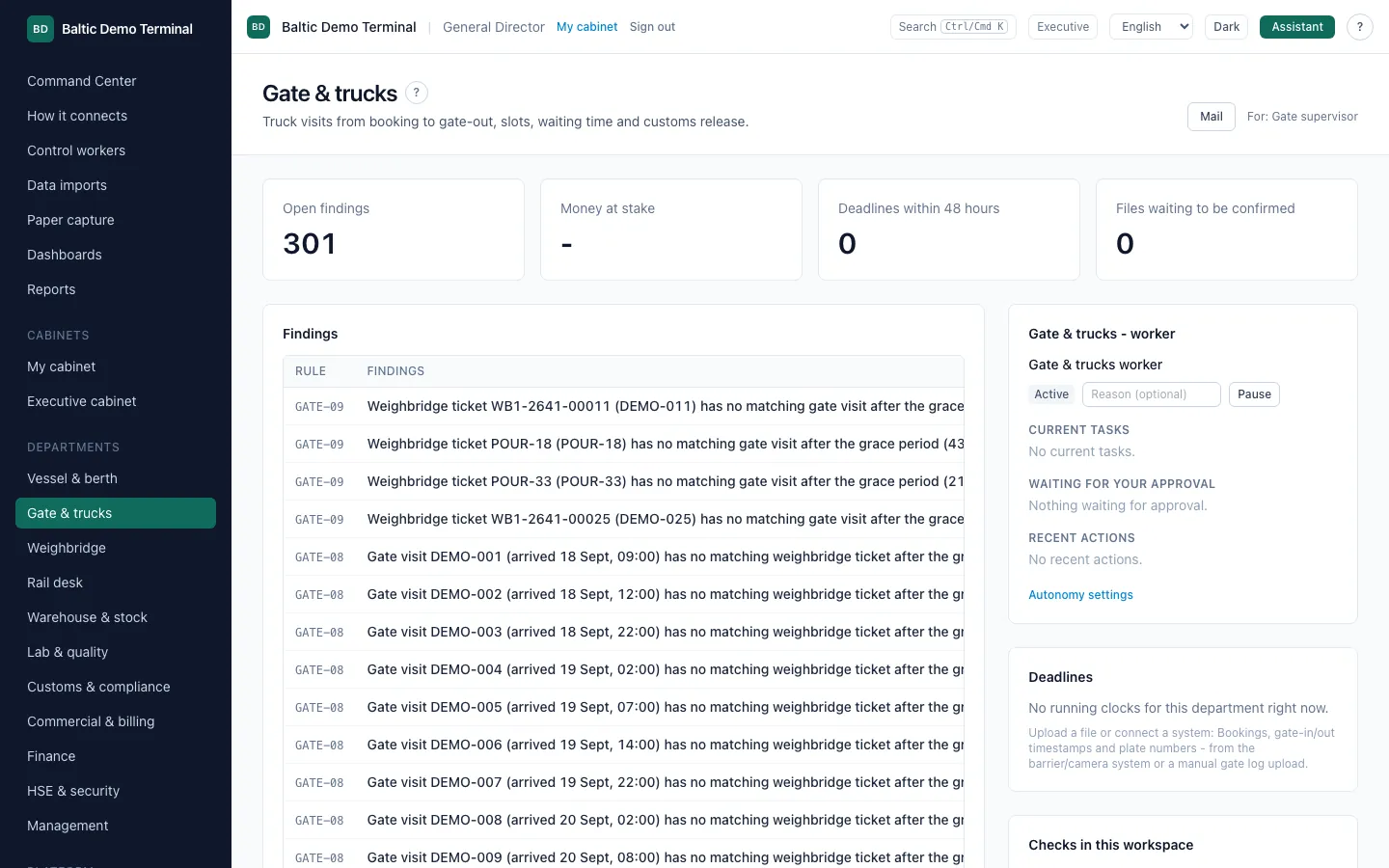
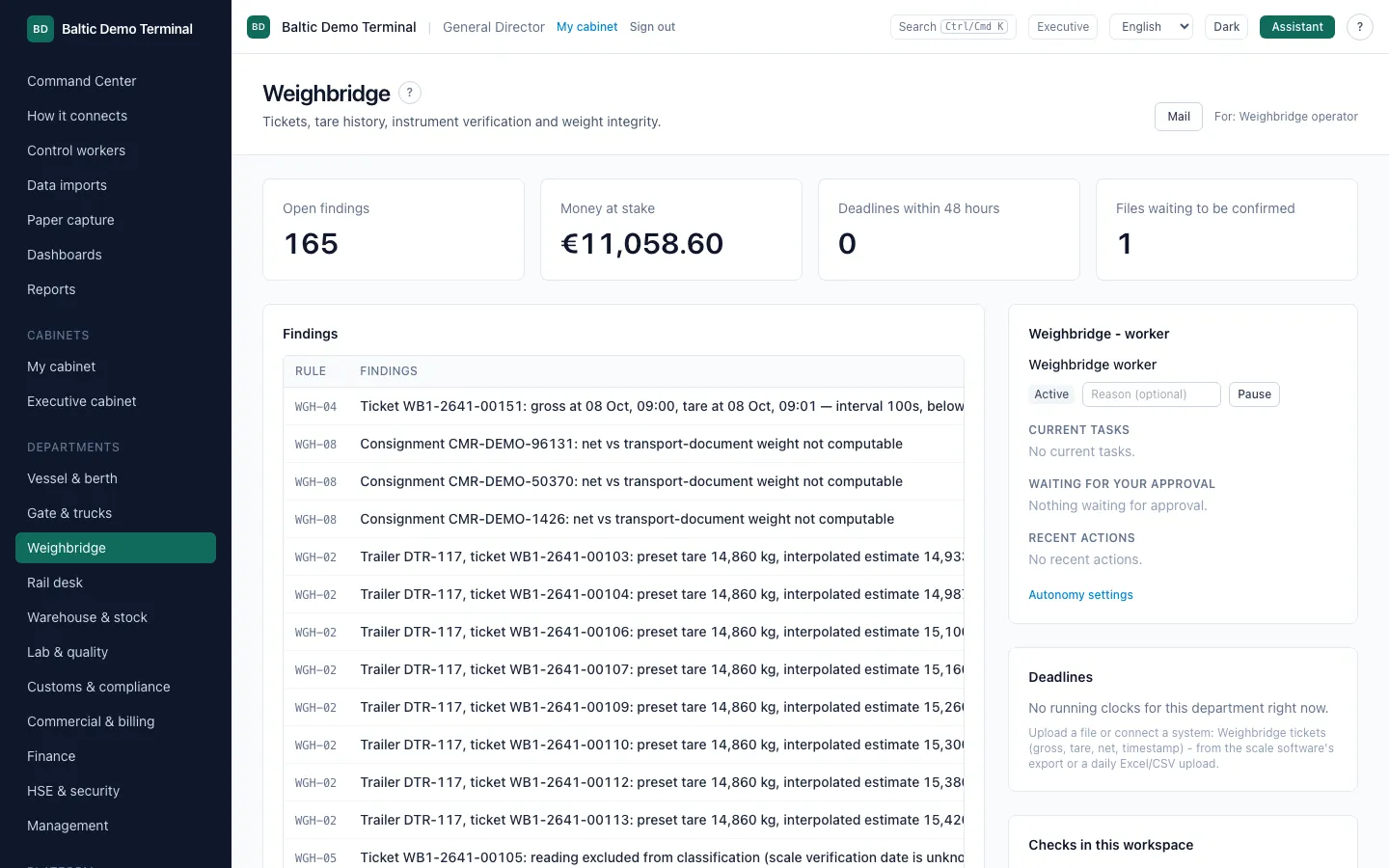
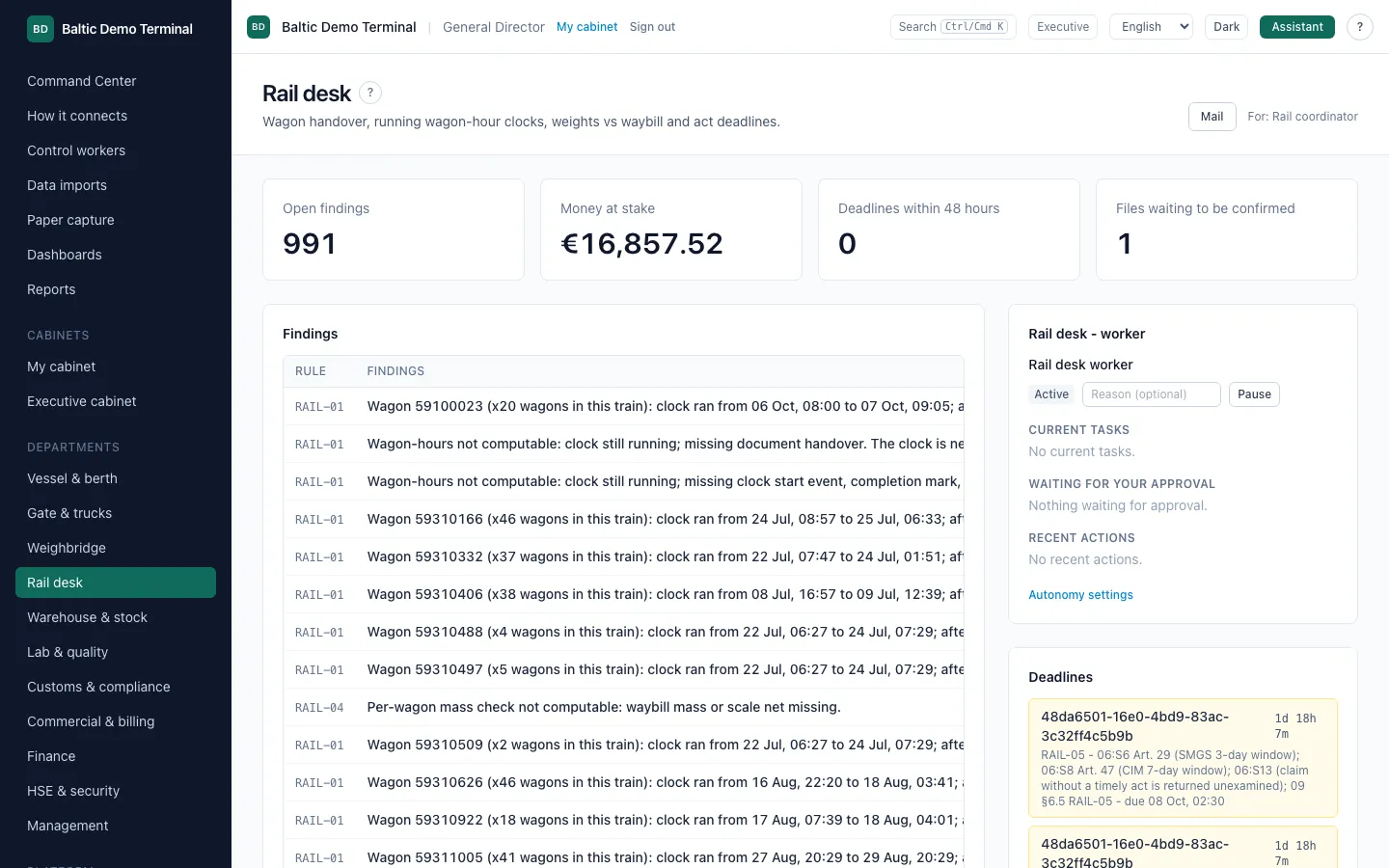
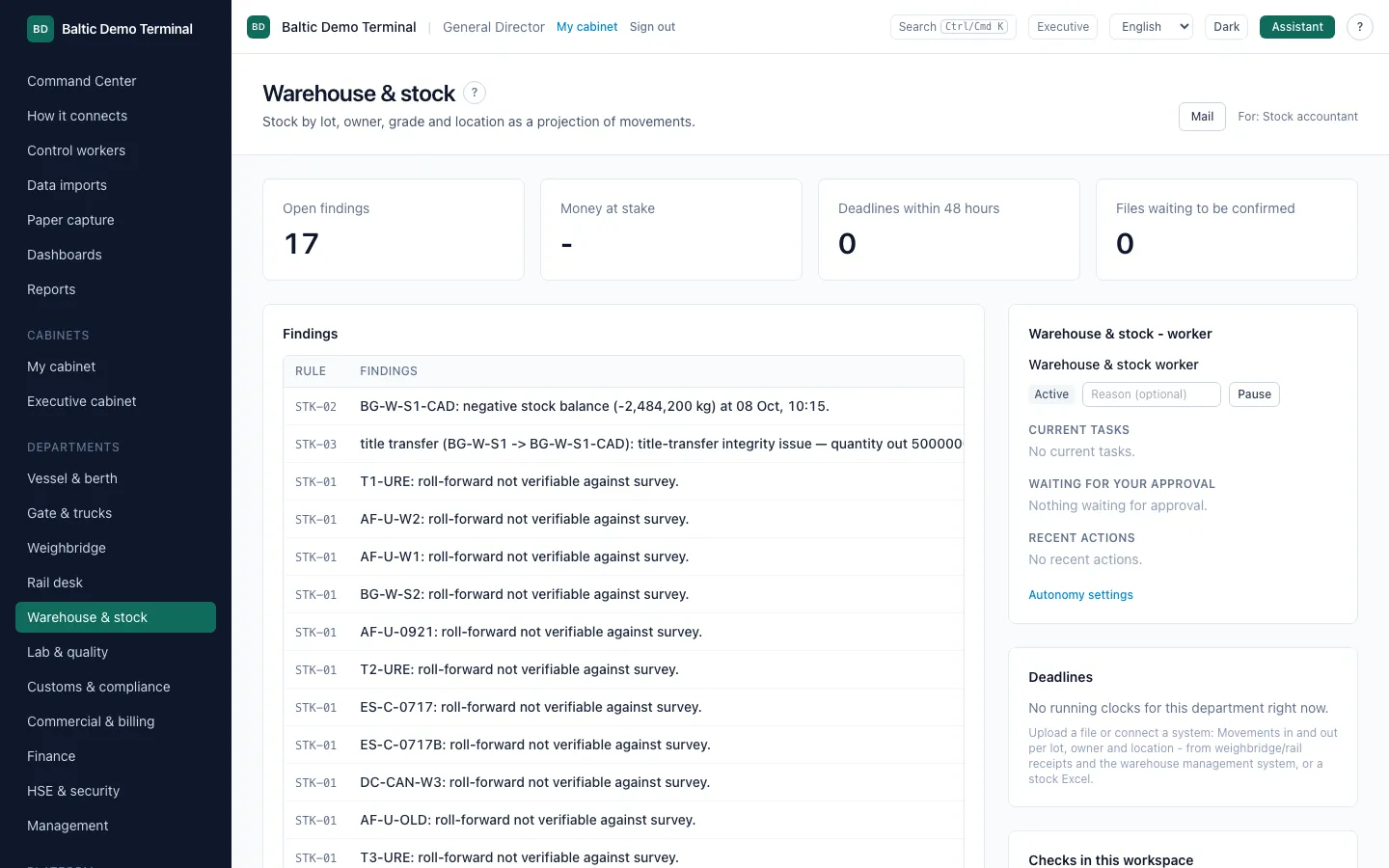
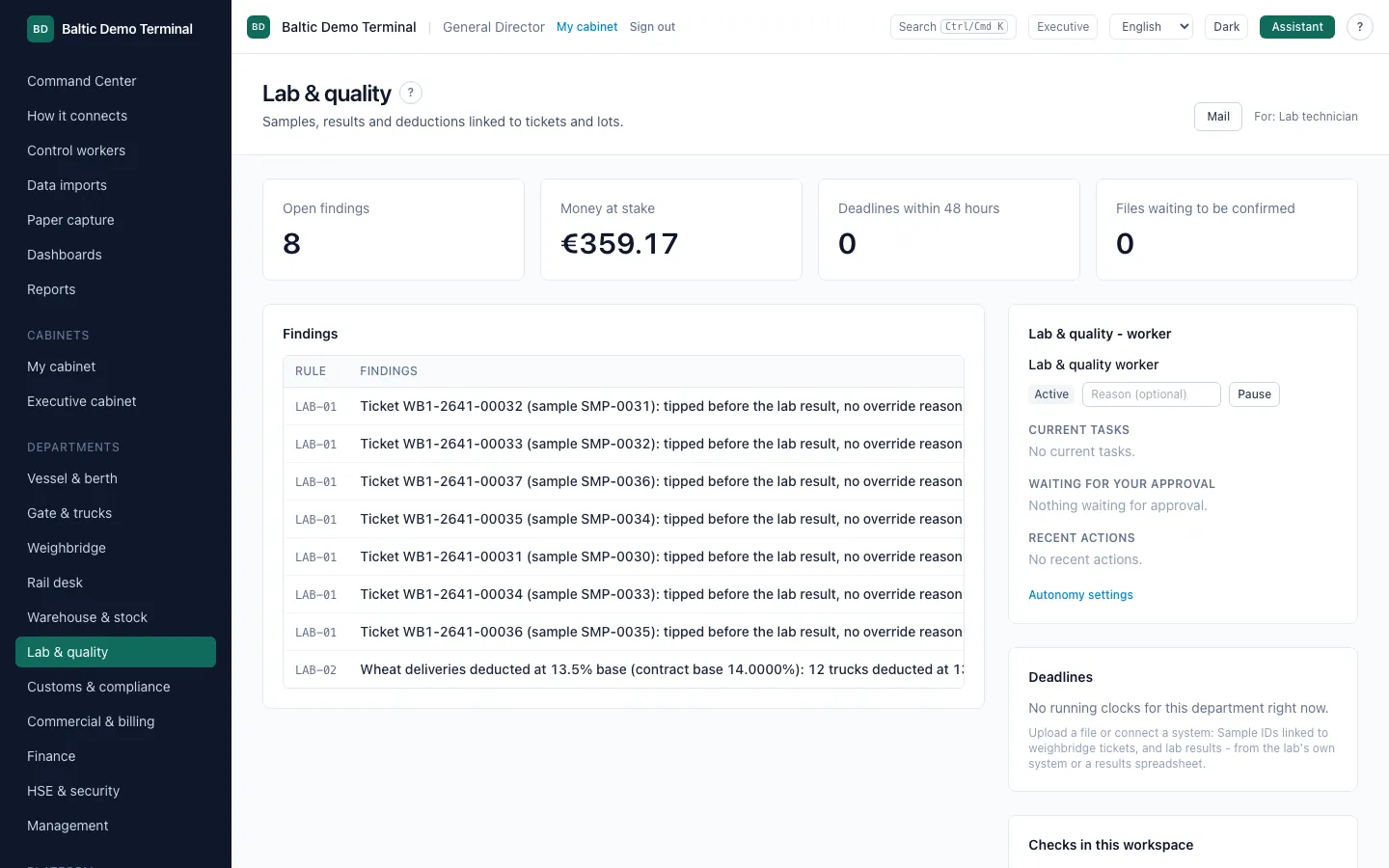
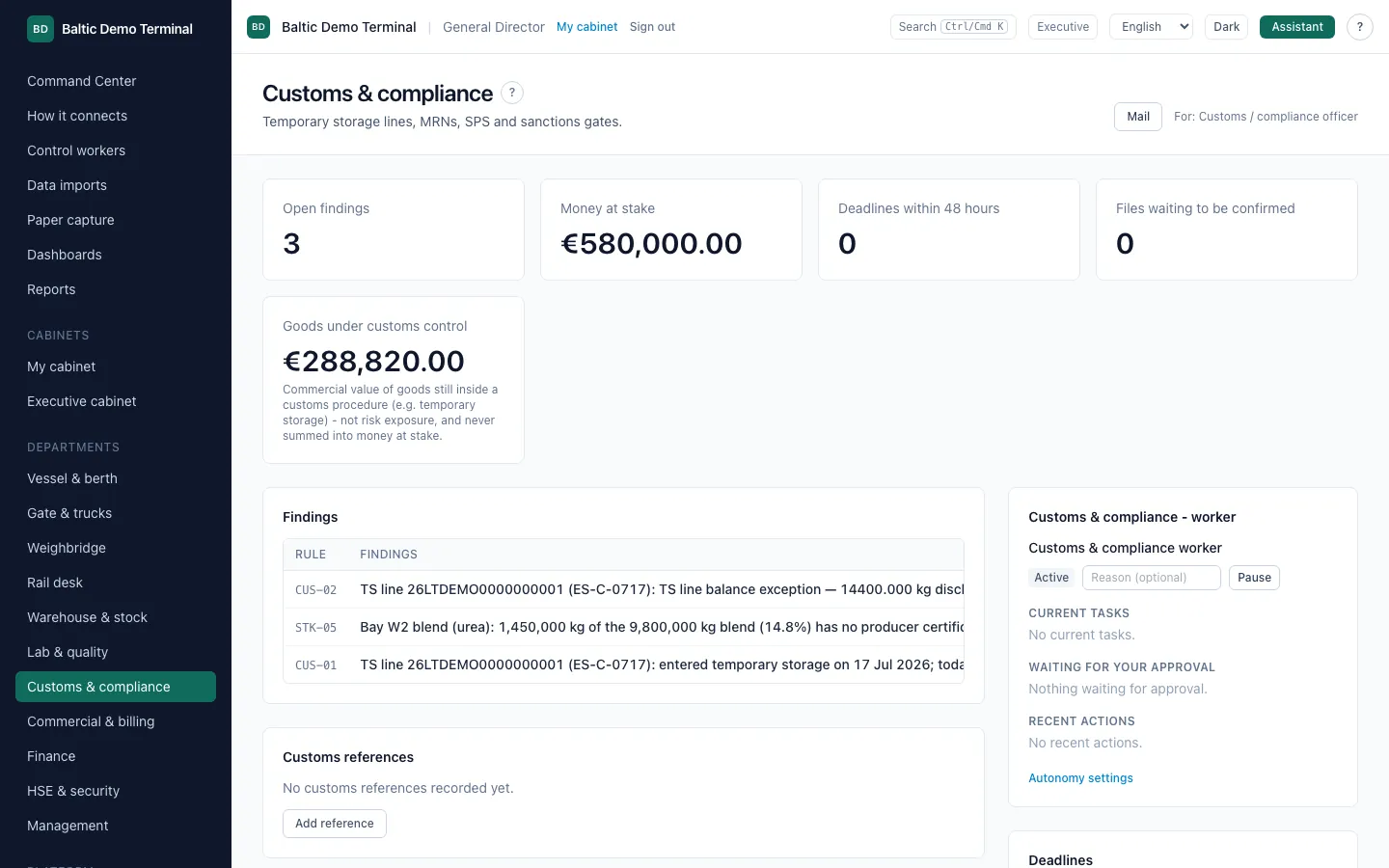
Vessel and berth, gate and trucks, weighbridge, rail, warehouse and stock, laboratory, customs, billing, finance and HSE each get their own view of the same ledger.
What you see
- Open findings, money at stake, deadlines inside 48 hours and files waiting for confirmation.
- The department's checks and its own control worker.
How it works
A department only sees its own cases; the ones you cannot open are shown locked. Depth differs by department: a check is ready when everything it needs is configured, and the Rules & tariffs screen lists what is missing.
Screens below are the synthetic demo tenant; some workspaces hold few findings because the demo data does not exercise every check. The Finance and HSE workspaces are not pictured: the demo data has almost nothing for them yet.
07
How the pieces connect, and the live terminal
See the path from your systems to a verified result, and the terminal state on one map.
What you see
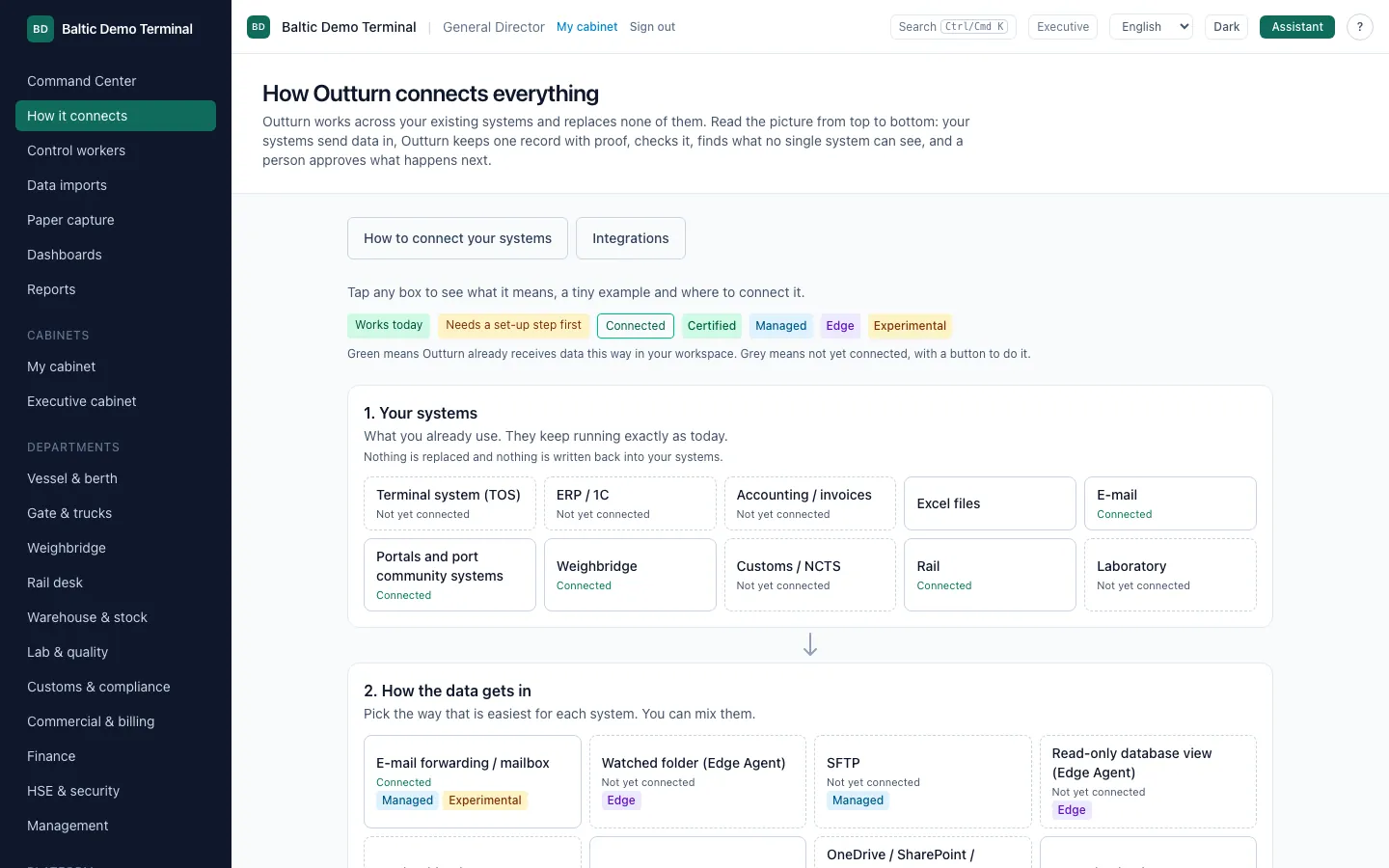
- Your systems, the ways data gets in, the single ledger with provenance, the checks, the control workers, approval and the verified result.
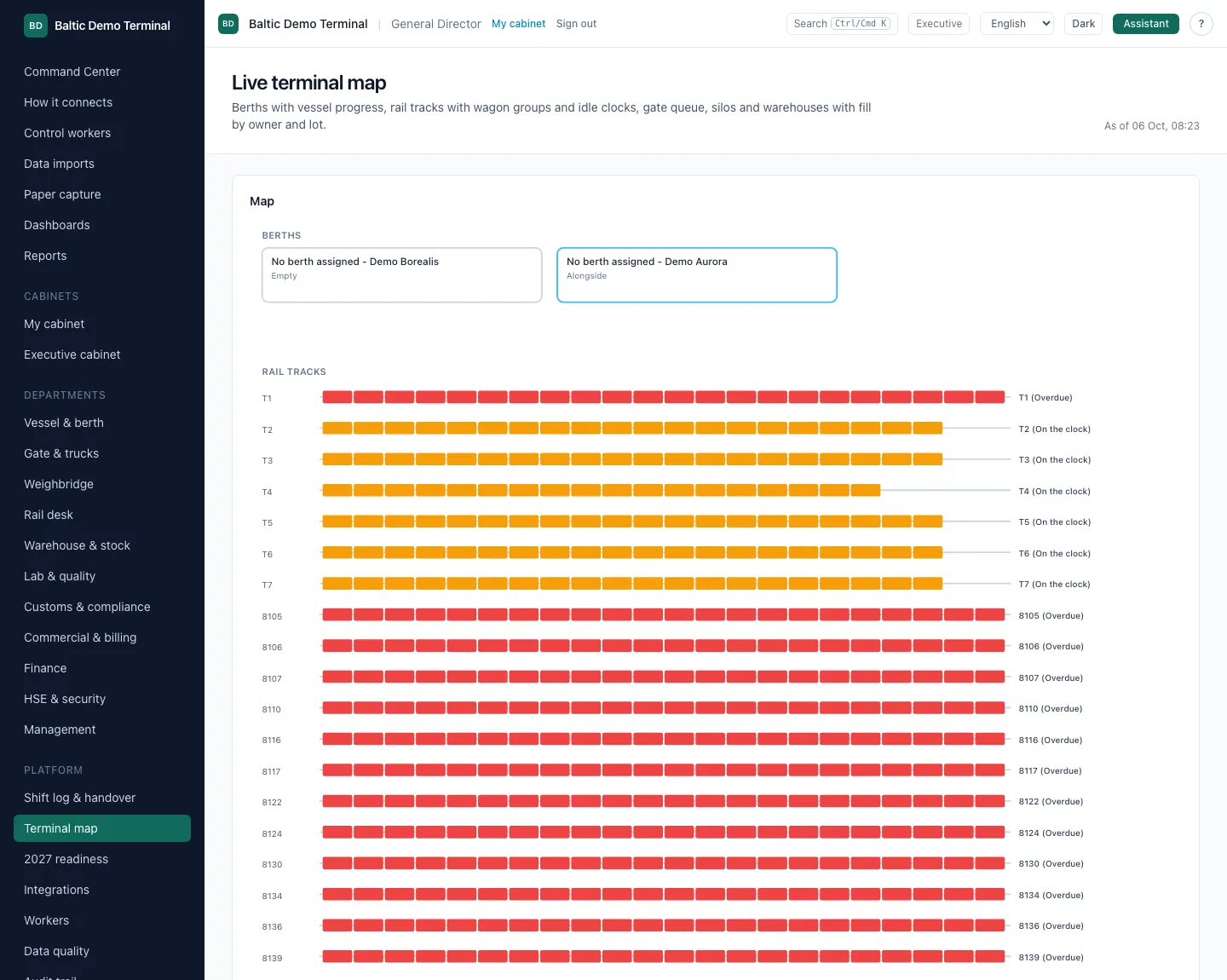
- A live terminal map: berths with vessel progress, rail tracks with wagon groups and idle clocks, the gate queue, silos and warehouses by owner.
How it works
Outturn reads your systems and replaces none of them; it does not write back into them.
The map is drawn from the same ledger as every finding. On the demo tenant it shows synthetic vessels, wagons and trucks.
08
Six control workers and an assistant that cites its sources
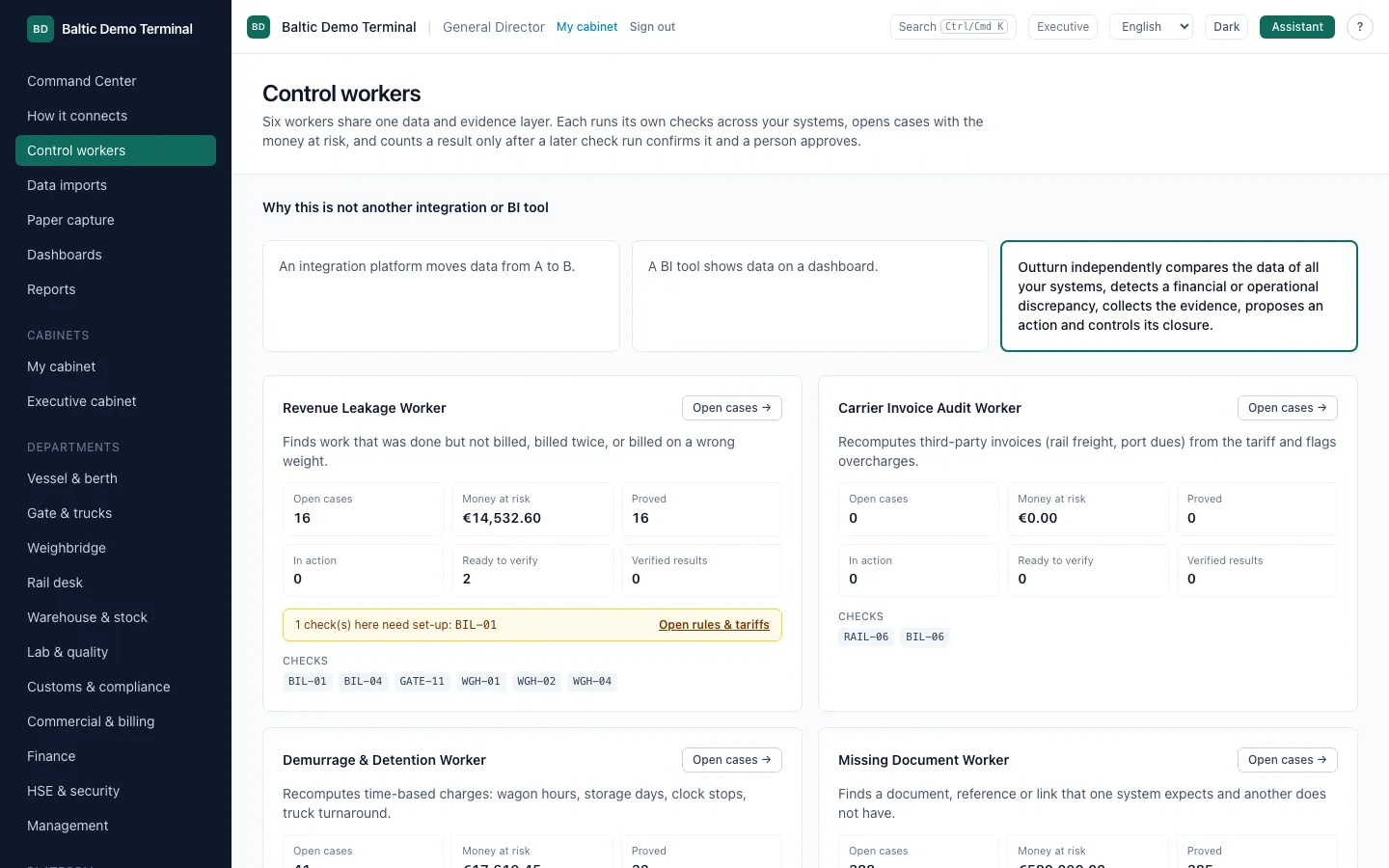
Rule-based workers watch money, time and documents across departments; the assistant explains and drafts, a person decides.
What you see
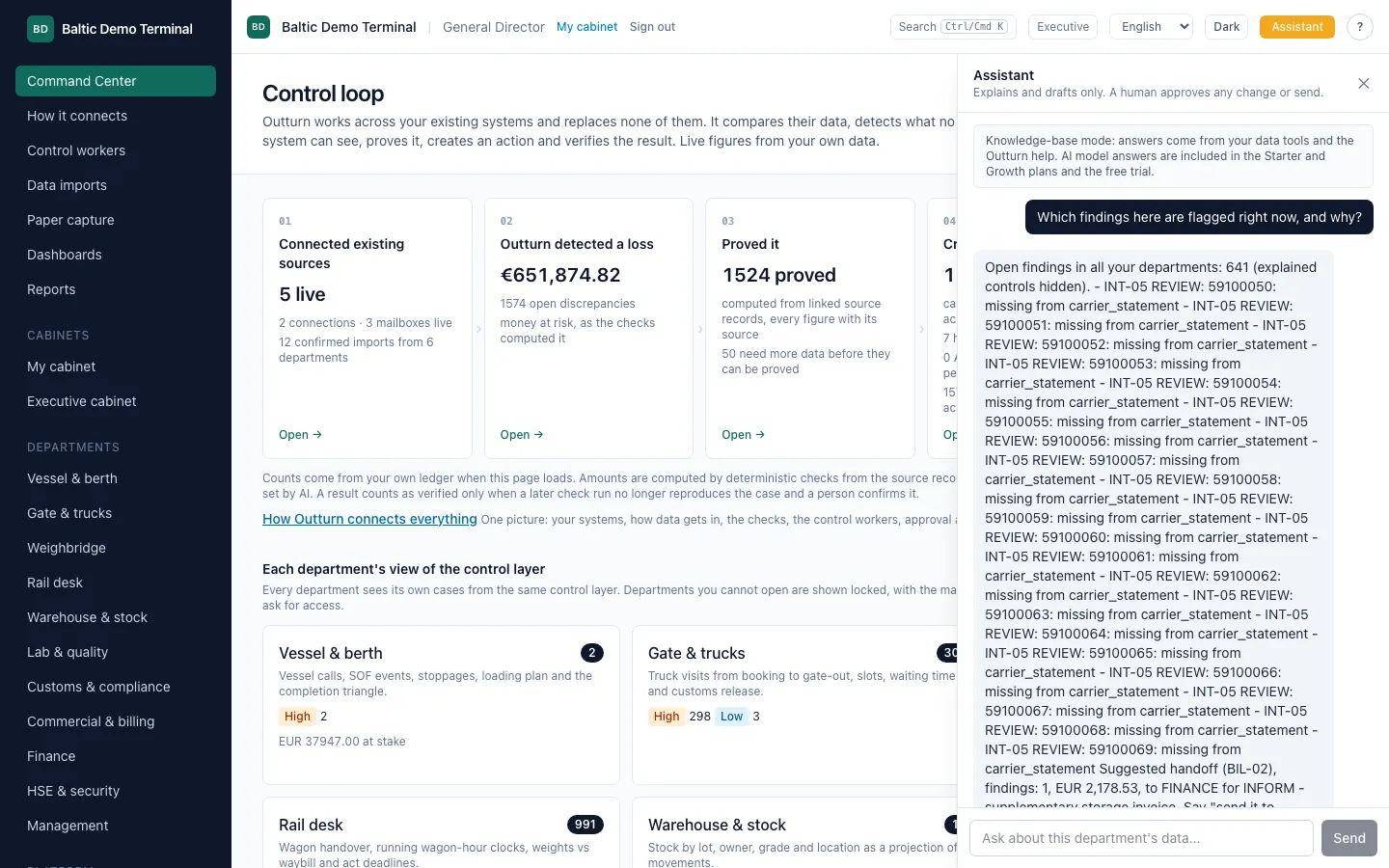
- Six workers on one data and evidence layer: Revenue Leakage, Carrier Invoice Audit, Demurrage and Detention, Missing Document, Contract Compliance and Claims Recovery. Each shows open cases, money at risk, proved, in action, ready to verify and verified.
- The assistant answers with links to the findings it used and proposes actions that wait for approval.
How it works
The workers are made of deterministic checks, not of a language model. They count a result only after a later check and a person confirm it.
In this capture no AI model is configured, so the assistant runs in knowledge-base mode: answers come from your data tools and the Outturn help, with links to the findings used. AI model answers are part of the Starter and Growth plans and the free trial.
09
Works on top of the systems you already have
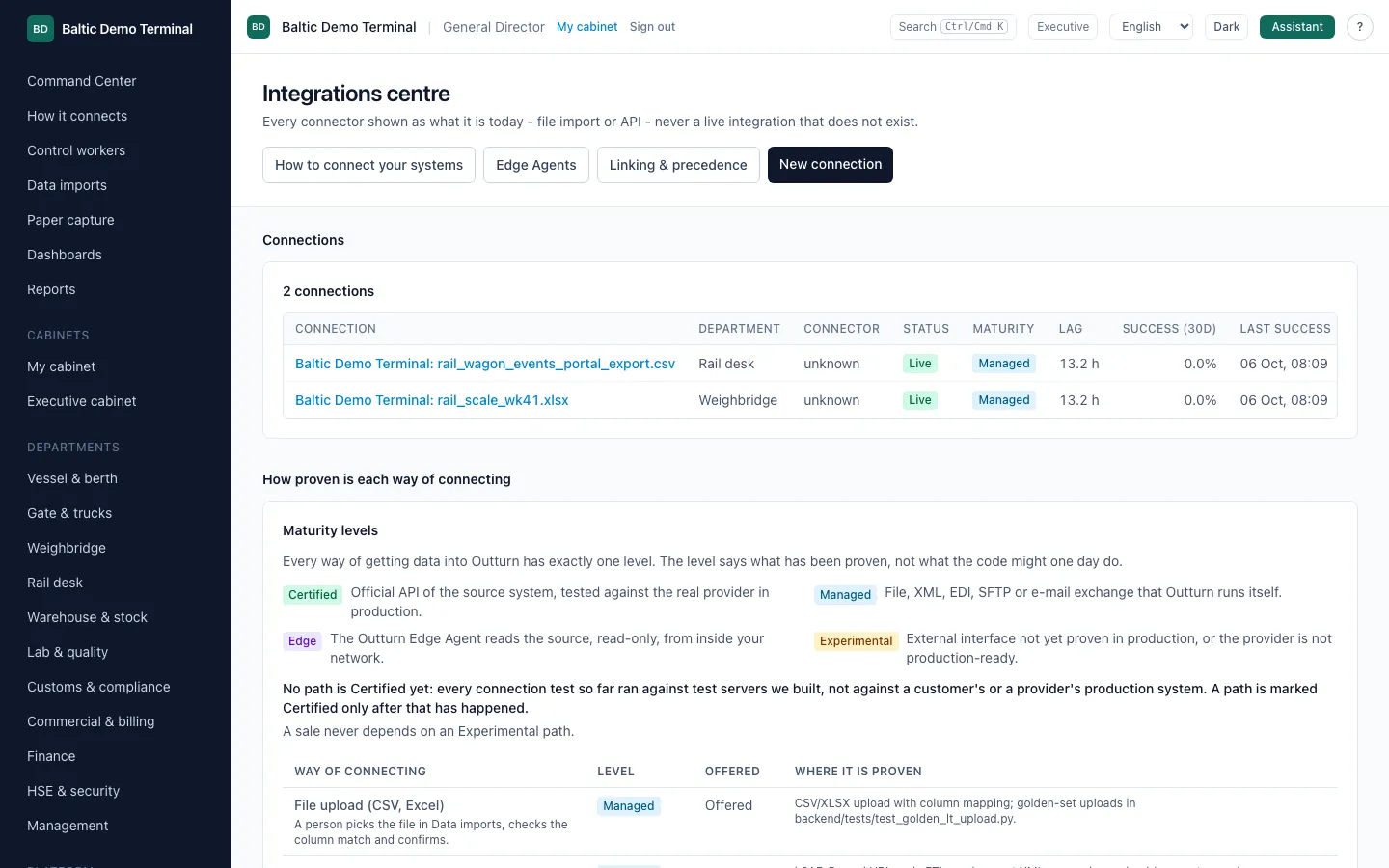
Excel and CSV, PDF, e-mail, SFTP, a read-only database view, an API or webhook: every way in is listed with how proven it is.
What you see
- Connections with their status, department and last success.
- A maturity ladder: Certified, Managed, Edge and Experimental, with where each is proven. No path is Certified yet, and the page says so.
- The import screen recognises known export formats and proposes the column mapping; a person confirms.

How it works
Nothing reaches the ledger without a person confirming the import. Every fact keeps its source system, file, row, hash, user and time.
A sale never depends on an Experimental path; the screen shows only what exists today.
10
Ready for 2027: eFTI, e-CMR and customs references
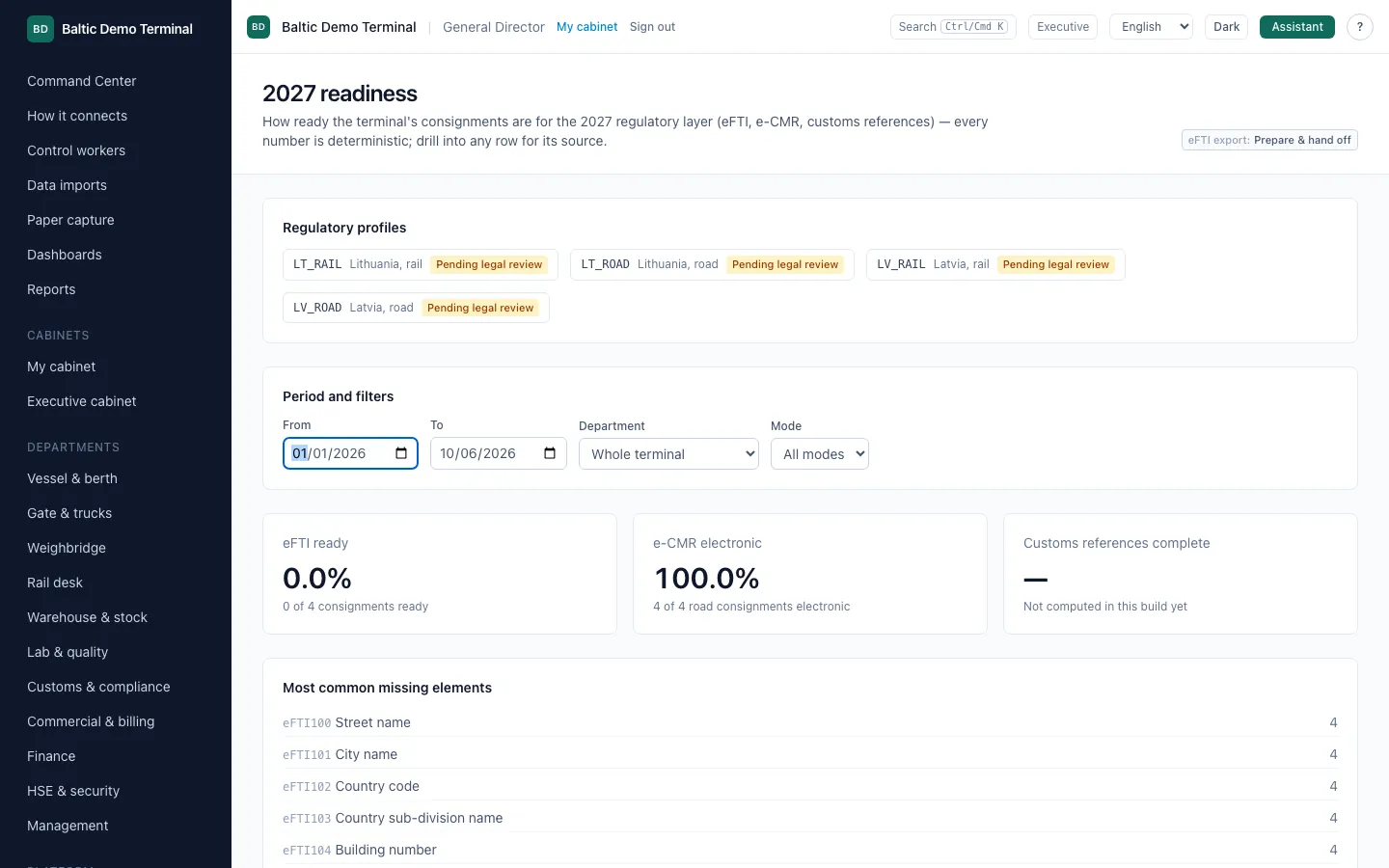
See how complete each consignment is for the 2027 regulatory layer, and prepare the data for hand-off.
What you see
- Readiness by regulatory profile: how many consignments are ready, which elements are missing most often.
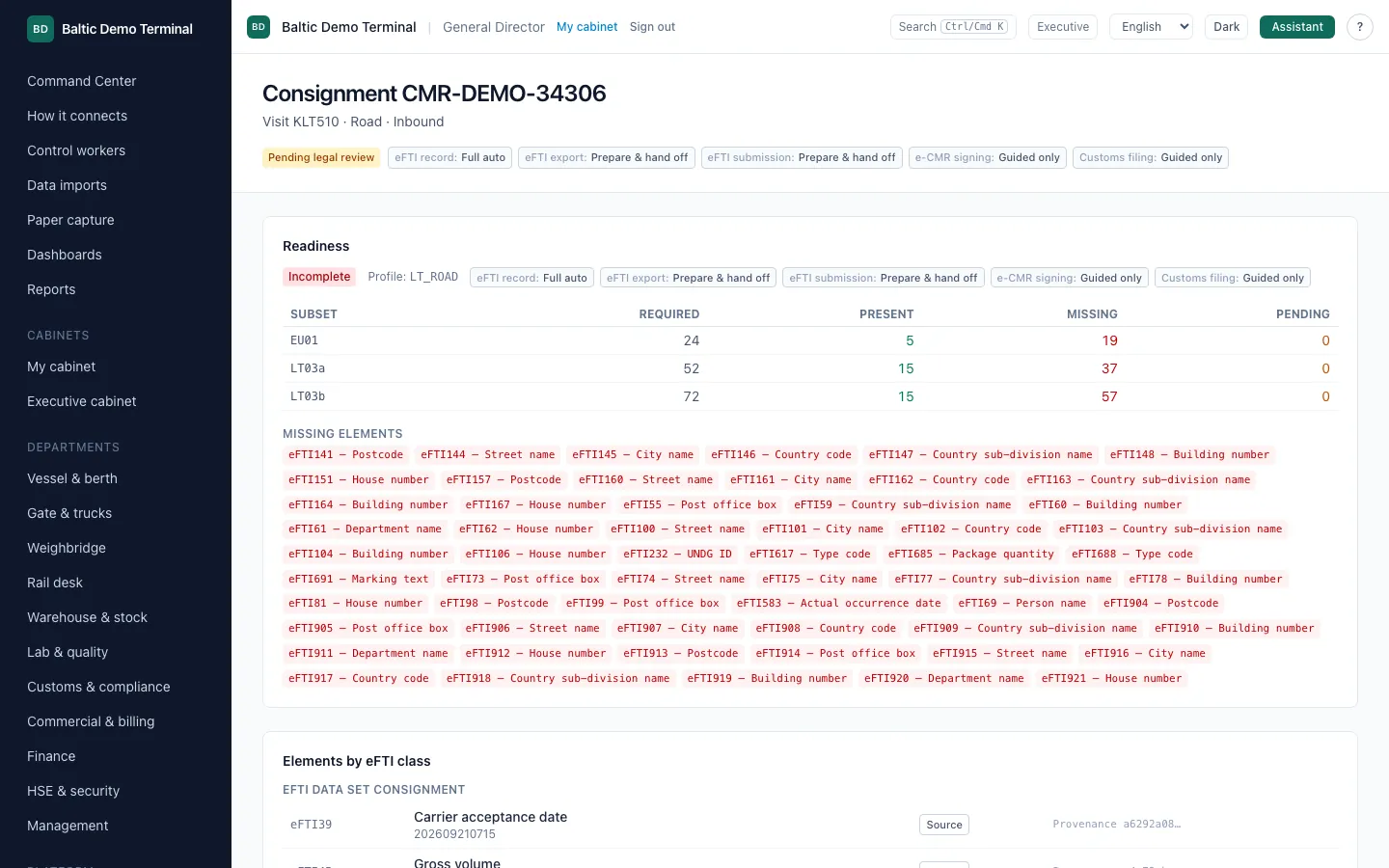
- One consignment with required, present and missing elements by data subset, with the source of each value, and an eFTI XML export.
How it works
Outturn prepares the data and the file for hand-off. It is not a certified eFTI platform and it does not submit anything to an authority: the screen says "Prepared for hand-off".
The consignment shown was imported from a synthetic eFTI XML file with deliberately incomplete address data, so the missing-elements list is real.
11
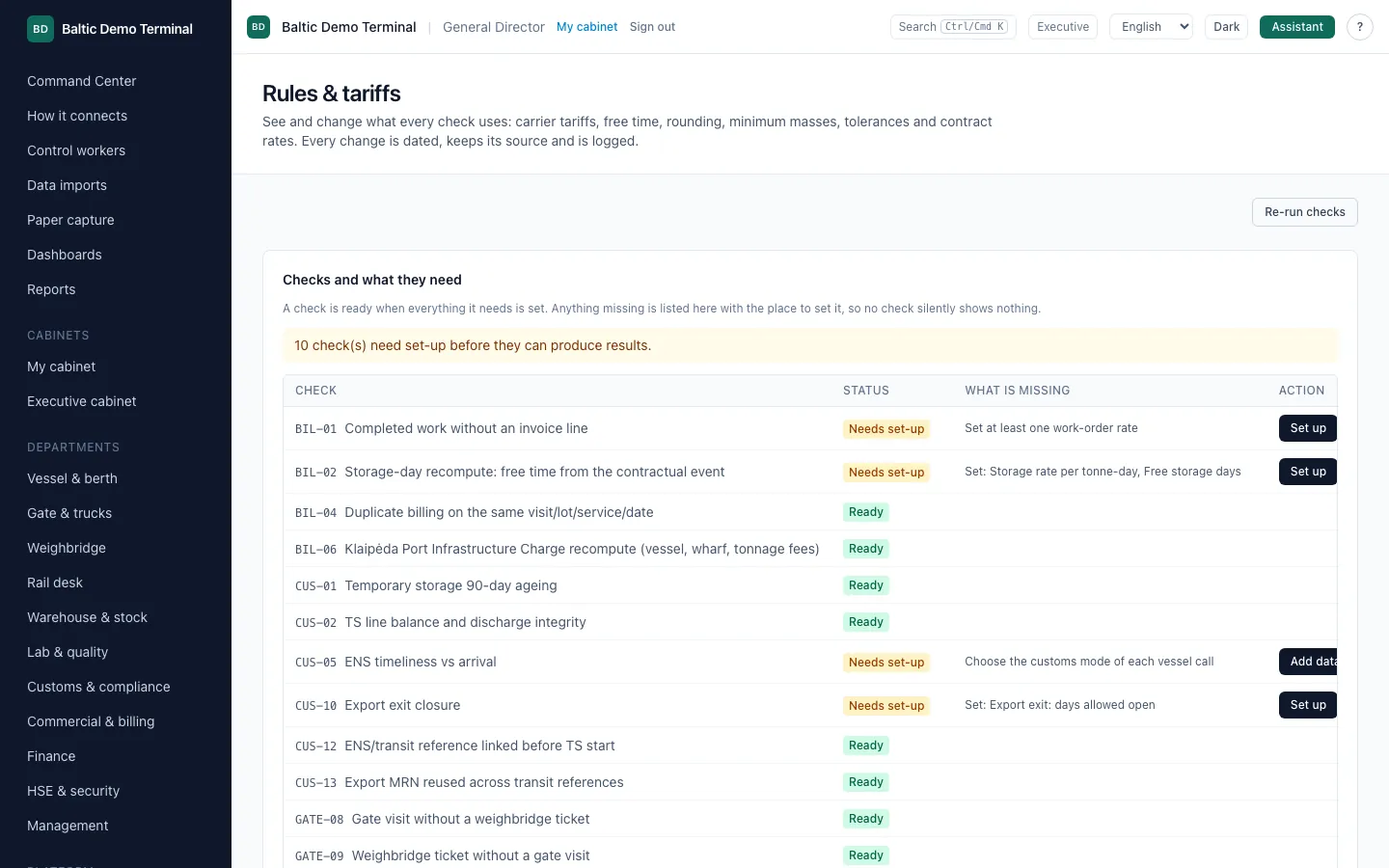
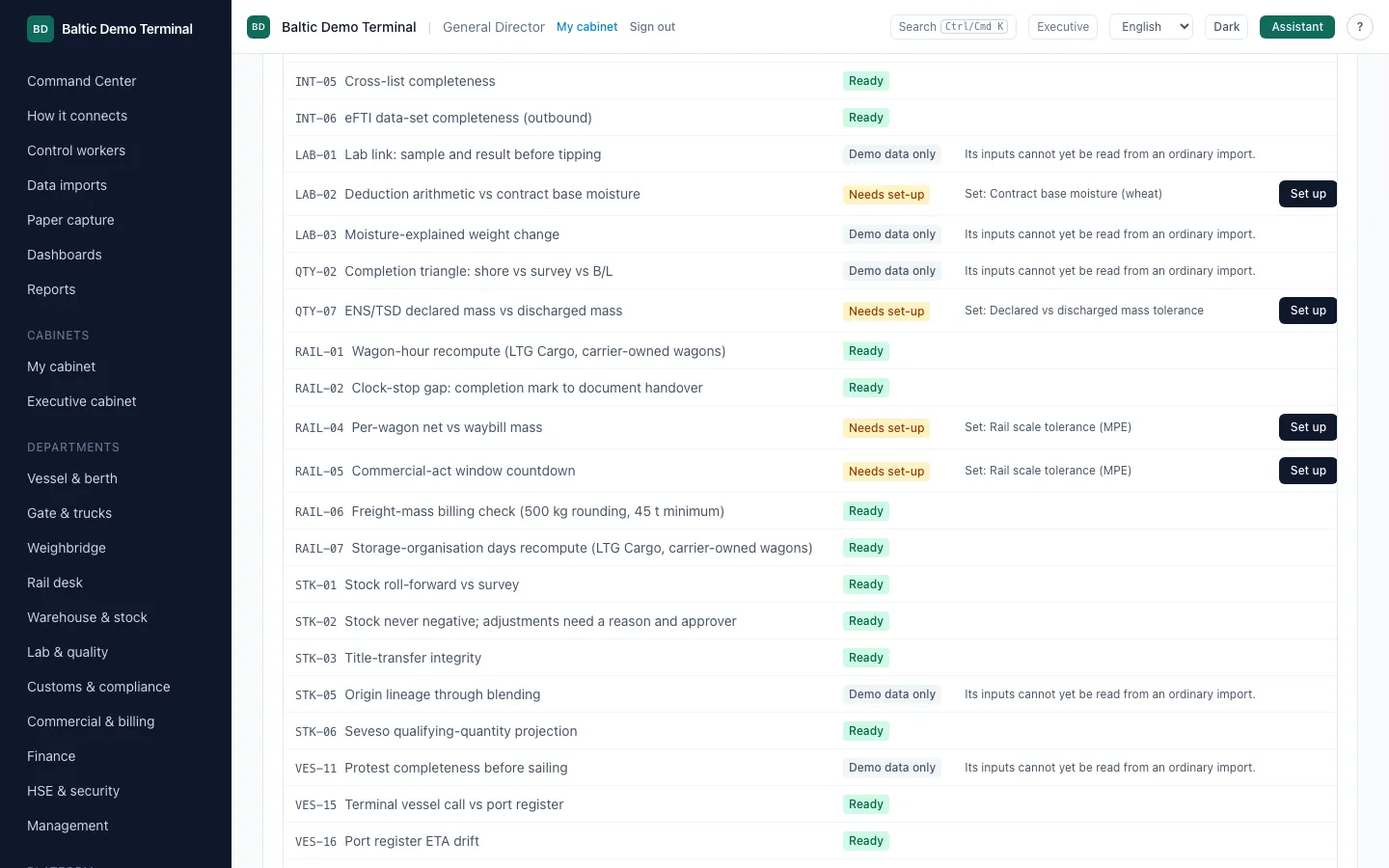
Rules and tariffs you can see and change
Carrier tariffs, free time, rounding, minimum masses and tolerances are visible parameters, not code.
What you see
- Every check, whether it is ready, and exactly what it is missing, with a button to set it up.
- Changes are dated, keep their source and are logged.
How it works
A check that lacks an input says so instead of silently showing nothing. Re-running the checks recomputes every finding with the current values.
12
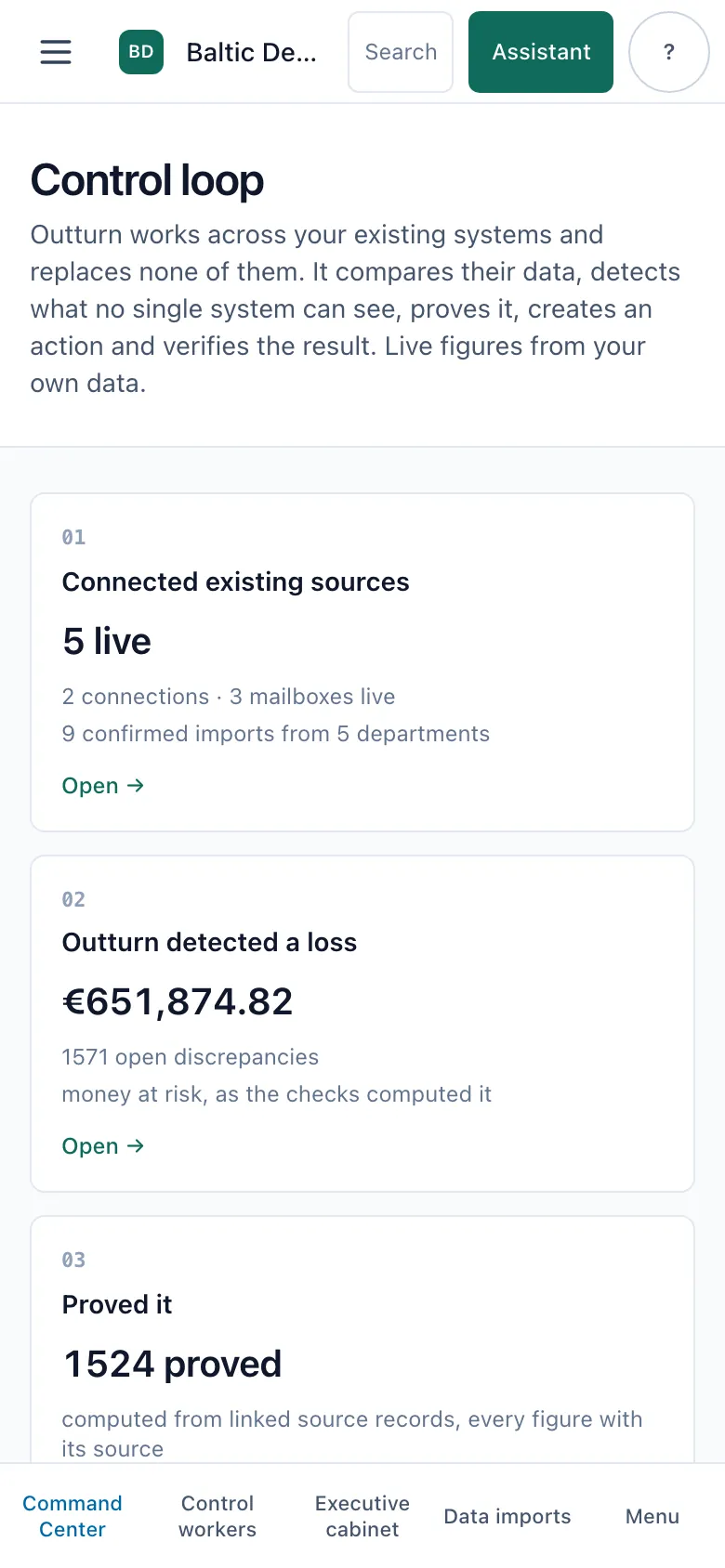
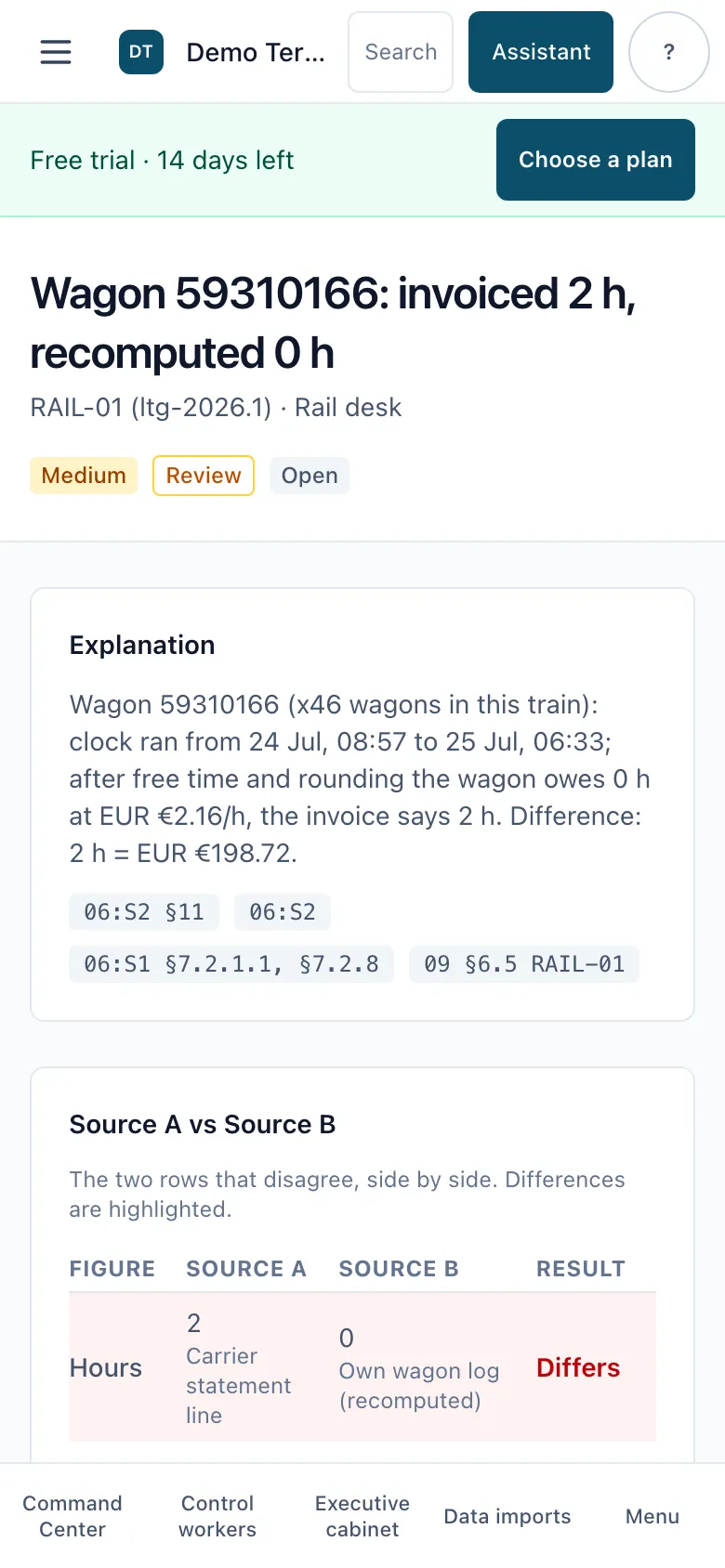
On a phone, in portrait
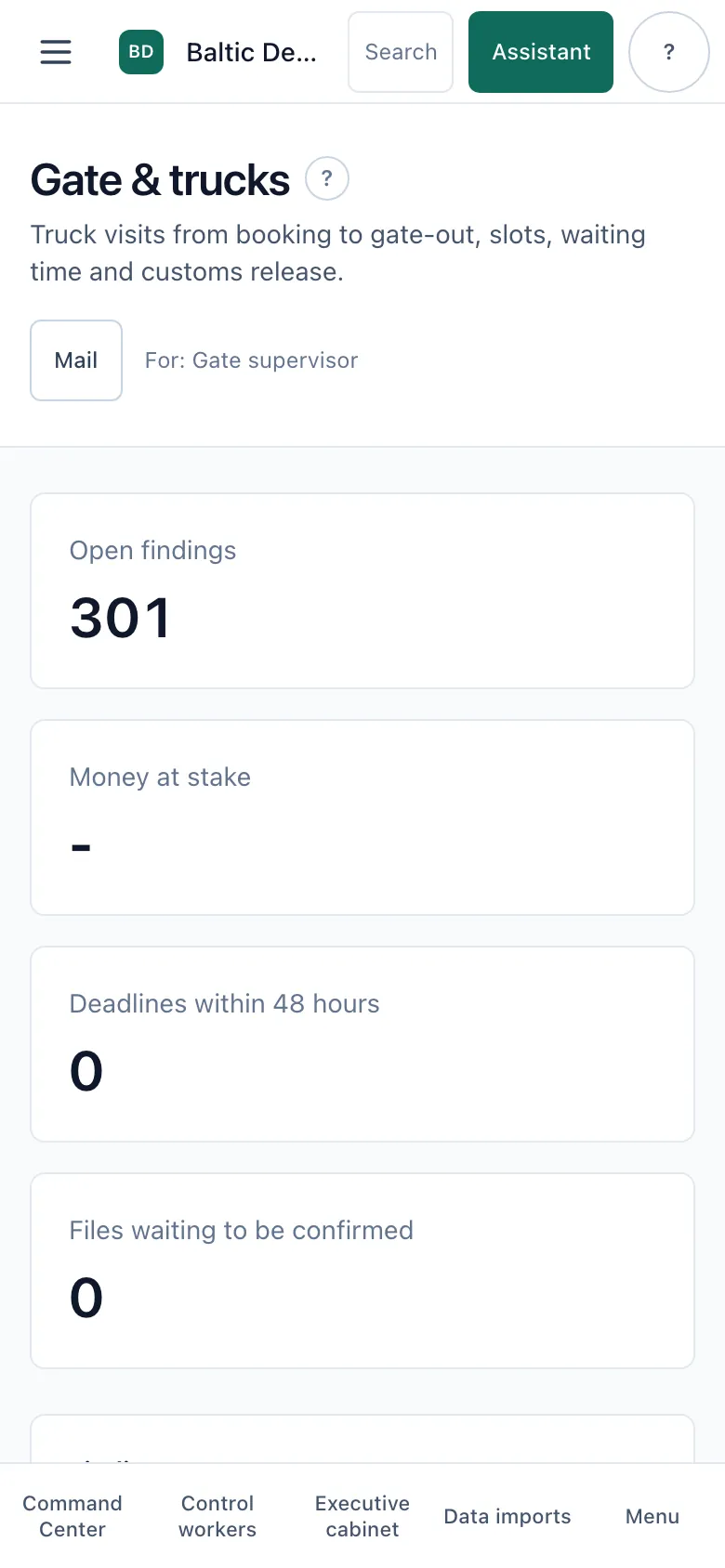
The same screens work on a phone at the gate or at the rail track.
What you see
- Command center, a finding with its source rows and a department workspace on a 390 px wide screen.
How it works
Navigation moves to a bottom bar and a menu; tables and cards stack. Gate and weighbridge PCs and tablets use the same interface.
13
English, Lithuanian and Russian in the application
Everyone works in their own language; this website is also available in Latvian.
What you see
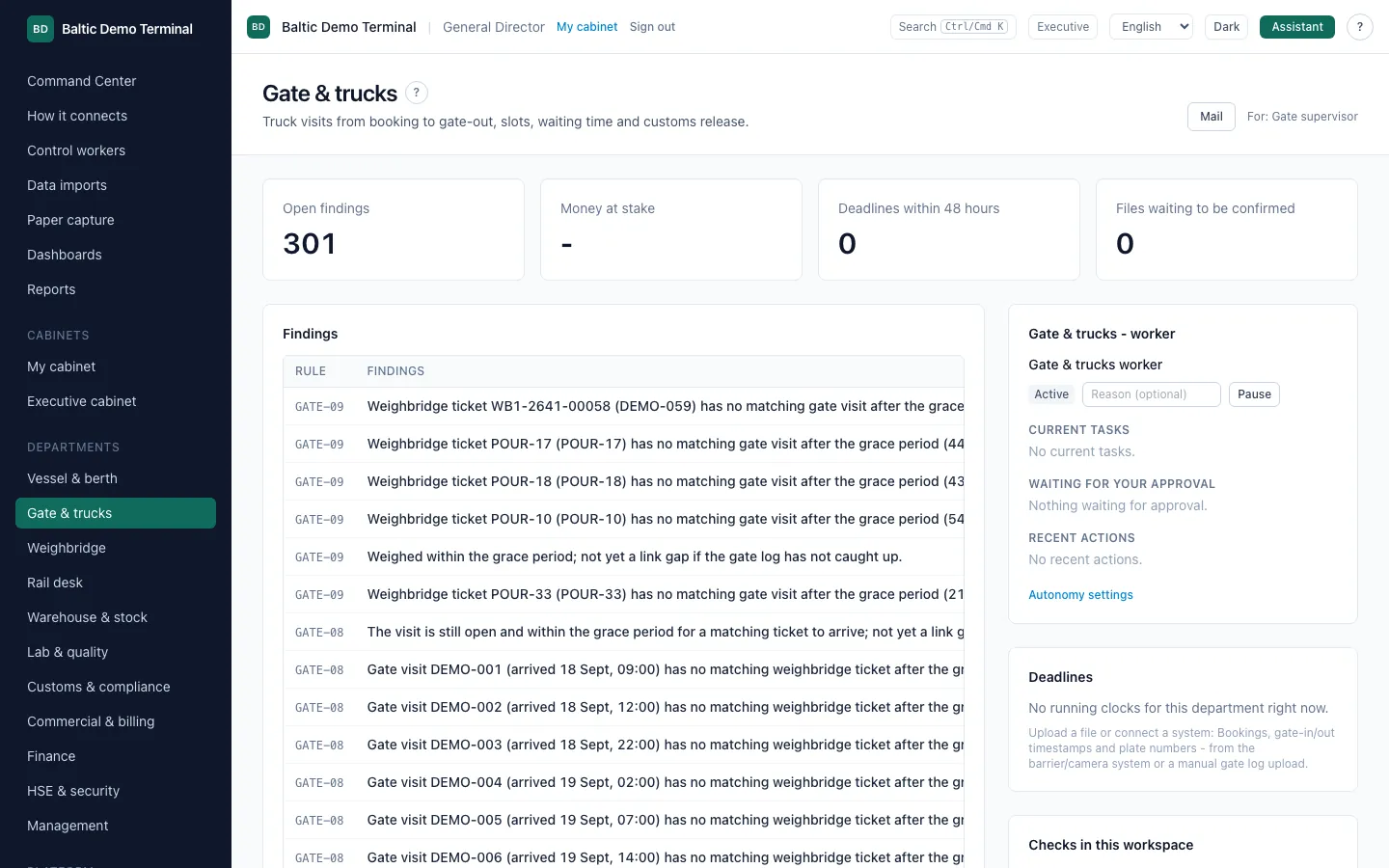
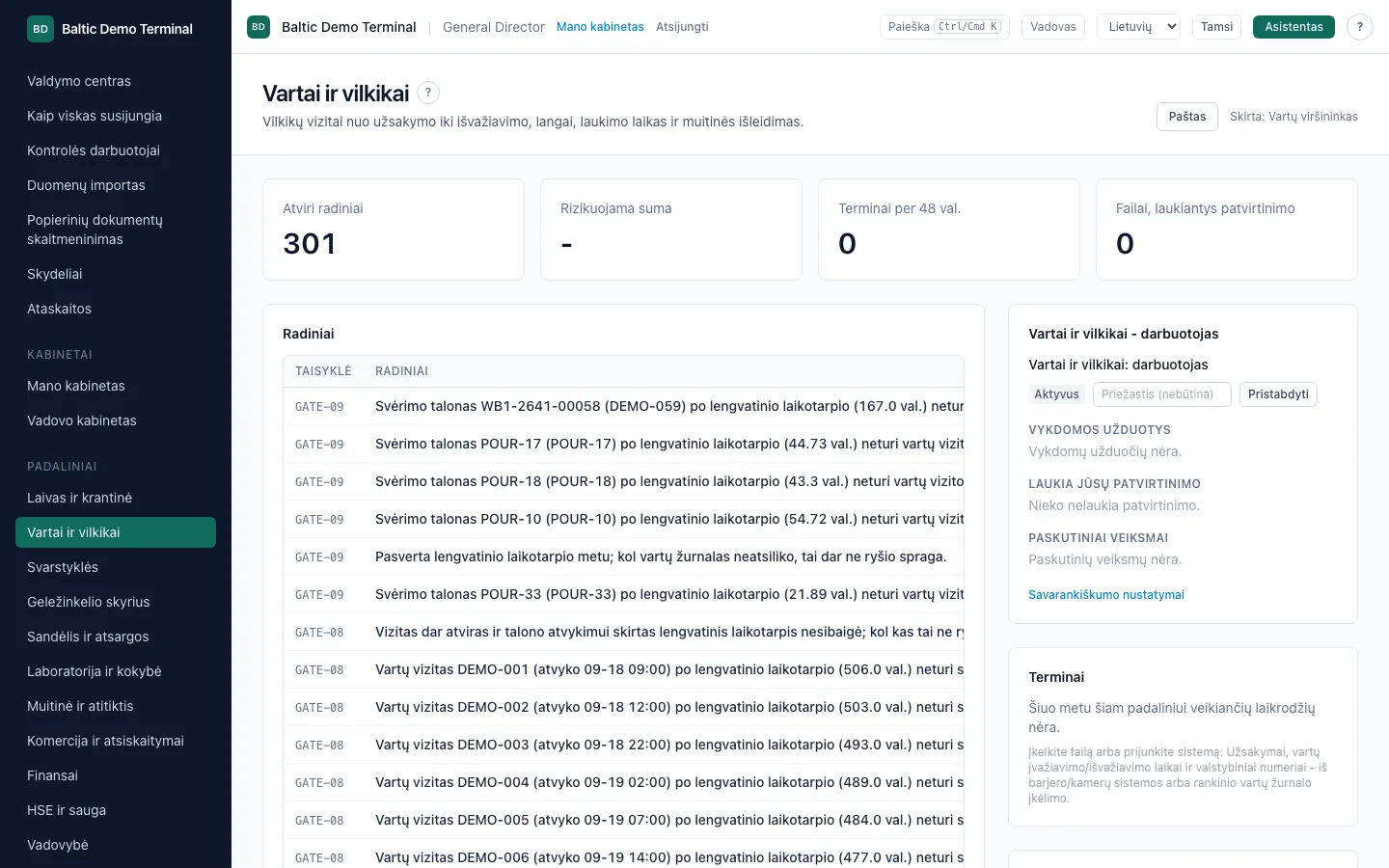
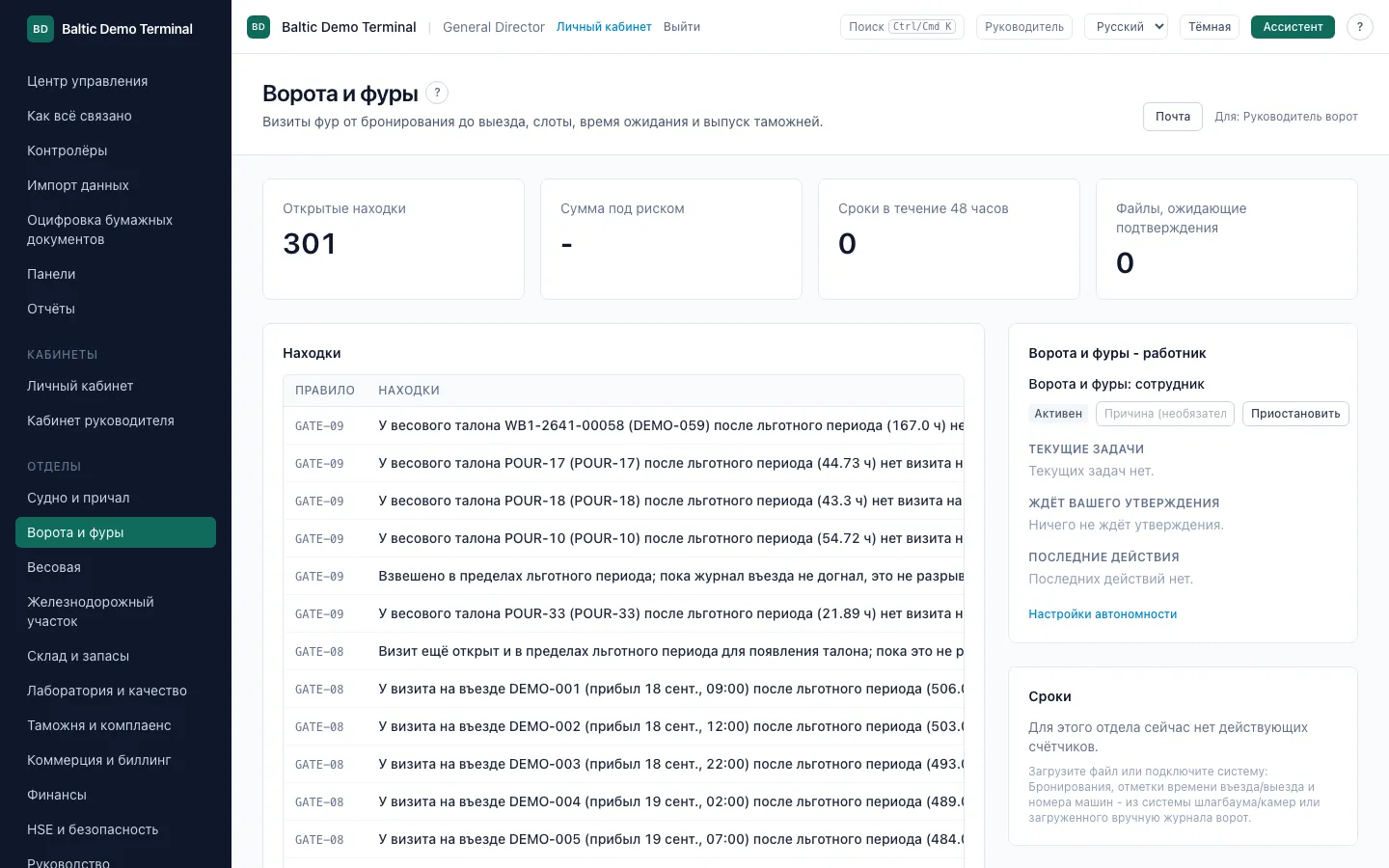
- The same workspace in the three application languages.
How it works
The language is chosen per user and remembered. The signed-in application is available in English, Lithuanian and Russian; Latvian is offered on the public website only.
Screens were captured on a throwaway local stack with synthetic data; the colours, wording and numbers are exactly what the application showed.
See it on your own statements
Send up to 3 months of carrier statements and your wagon records: a written report in 5 working days, free and without obligation. Or start a 14-day trial, no card.